- Backlinks
- Tutorial
How to Check Toxic Backlinks Before Taking Action
Editorial responsibility: SearchCub
Check toxic backlinks by opening the exact source, confirming its destination and looking for evidence of a manipulative arrangement before deciding what to remove. You will finish with a filled review sheet and a reason to leave a link alone, investigate it further or take action. Start with SearchCub's Backlinks to find the source, then inspect the public page yourself.
The real example is productiveblogging.com, using a saved United States English backlink result retrieved on October 6, 2026. One unfamiliar source, eopis.co.uk/eporer/, is marked Lost and has Not supplied in Anchor. Its recorded destination is Productive Blogging's blogging-tools guide; we will compare it with a Semrush source citation to a blogging survey.
Find the exact source and destination
Open Backlinks, choose Domain, enter productiveblogging.com, select United States under Region, and click Search (the Research domain button). Open the result's Backlinks tab and find Who's Linking to My Site. For your own review, enter your domain and choose one source that raised a specific question.
Read Linking page, Anchor and Change together. Anchor means the clickable text of a link. Write down the full linking-page address and the destination shown beneath it; checking a domain's homepage would miss the paragraph where this particular link appears.
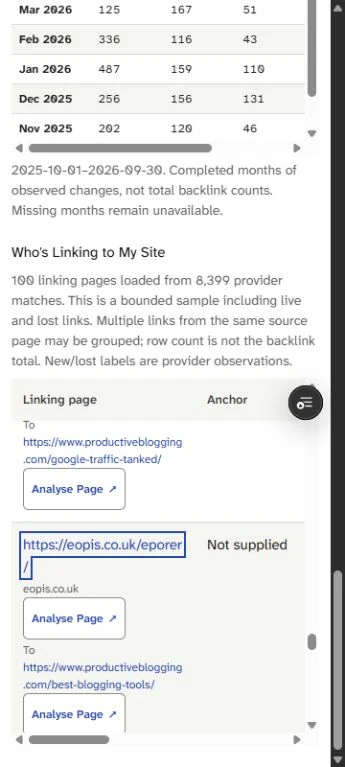
Find the outlined eopis source, its destination underneath and Not supplied in Anchor. These give you the exact page to inspect and the missing detail to resolve.
This screenshot shows the source and destination columns; the saved row also records Lost in Change. A saved row records what that dataset found, and reopening it does not refresh that observation. Keep its result date beside your notes so a later public-page check has its own date.
Open the ordinary external source link for this step. You are looking for the existing link in its paragraph, so you do not need to run Analyse Page. Once you finish this source review, the linkable-assets guide shows how to use a real citation to design a resource and preserve its edition.
Check what the unfamiliar page contains now
The current eopis source has the title “Eporer: A Modern Blogging Platform Guide.” Its public HTML, checked on October 6, contains an exact link to the recorded Productive Blogging destination with the anchor “blogging tools,” in the section comparing Eporer with other blogging platforms. The destination page is a guide to blogging tools and resources, so the linked words and destination share a subject.
That is a concrete observation: a link to that destination is present in the HTML checked on October 6, 2026. Record it beside Lost, instead of overwriting the saved row or writing “the link is gone.” You now have two dated observations that need reconciling.
The same HTML contains another link to that destination whose anchor consists only of a space, in a paragraph about adapting to platform changes. Record the blank anchor separately for closer placement review. A link with no descriptive text gives you a different question from the text-bearing link: how does it appear in the page, and does it serve a reader?
Keep the observation narrower than the accusation. Neither an unfamiliar domain name nor that blank anchor establishes who arranged the links or their purpose. The useful next step is to inspect the placement and keep the exact HTML detail, rather than label the whole domain harmful from this one page.
If your source fails to load, enter “access failed; current context unknown” and the check date. Try another ordinary public retrieval route if available, but do not turn an access failure into “link removed.” That prevents a temporary failure from becoming the reason for a removal request.
Compare it with a link whose purpose is visible
Find the Semrush blogging-statistics page in the same SearchCub result. Its Anchor is “Productive Blogging, 2024,” and its destination is /how-much-do-bloggers-earn/. Open the Semrush source page: the credit appears beside a comparison of blogging niches, pointing to Productive Blogging's survey page.
The useful distinction is the link's visible job. The Semrush link identifies a source behind a stated comparison; the eopis text link points readers toward a tools guide, while its blank-anchor link warrants a separate look. Inspecting both makes your review about specific placements instead of whether you recognize the publisher's name.
Use the Semrush row as a check on your method, rather than as a reputation shortcut. A familiar publisher still gets an exact-source and destination check. Validating which survey edition supports that comparison is a separate content question; this review records the citation context without making an income claim.
Add the evidence only you can supply
For a site you own, ask how the link came about. Search your own outreach notes, purchases, agreements and records from anyone who built links for you. Write down the actual arrangement you find, or “unknown” when you have no record; do not fill the gap with a guess about the other publisher.
Google's link-spam policy focuses on links created primarily to manipulate search rankings, including paid ranking links, excessive exchanges and automated link creation. Those are reasons to investigate an arrangement, not labels to assign merely because a page is unfamiliar.
Also check your own Search Console Manual actions report and read any issue Google reports there. For this public example, the publishers' arrangements and Search Console reports are unknown. SearchCub gives you incoming-link observations; your own records and Google's report supply this part of the decision.
Fill the decision before choosing a remedy
Download the filled source-review CSV. It contains both actual sources and destinations, their saved observations, the current page context, unknown relationship and manual-action fields, decisions, reasons and recheck triggers. Add your own source as another row and keep each observation attached to its date.
Source | Evidence in this review | Decision now | What would reopen it? |
|---|---|---|---|
eopis | Saved Lost/anchor missing; current HTML contains a topical text link and a blank-anchor link to the recorded destination | No removal or disavow from this evidence; inspect placement and retain the mismatch | A changed source page, resolved data discrepancy or verified manipulative arrangement |
Semrush blogging-statistics page | Exact source credit and survey destination confirmed in public context | Record the citation; no removal or disavow from this evidence | Changed link context or verified arrangement requiring action |
The eopis decision leaves a specific review item open without starting cleanup. The Semrush decision records why an ordinary citation was left alone. Both decisions have a reason someone else can inspect and a condition that would change the answer.
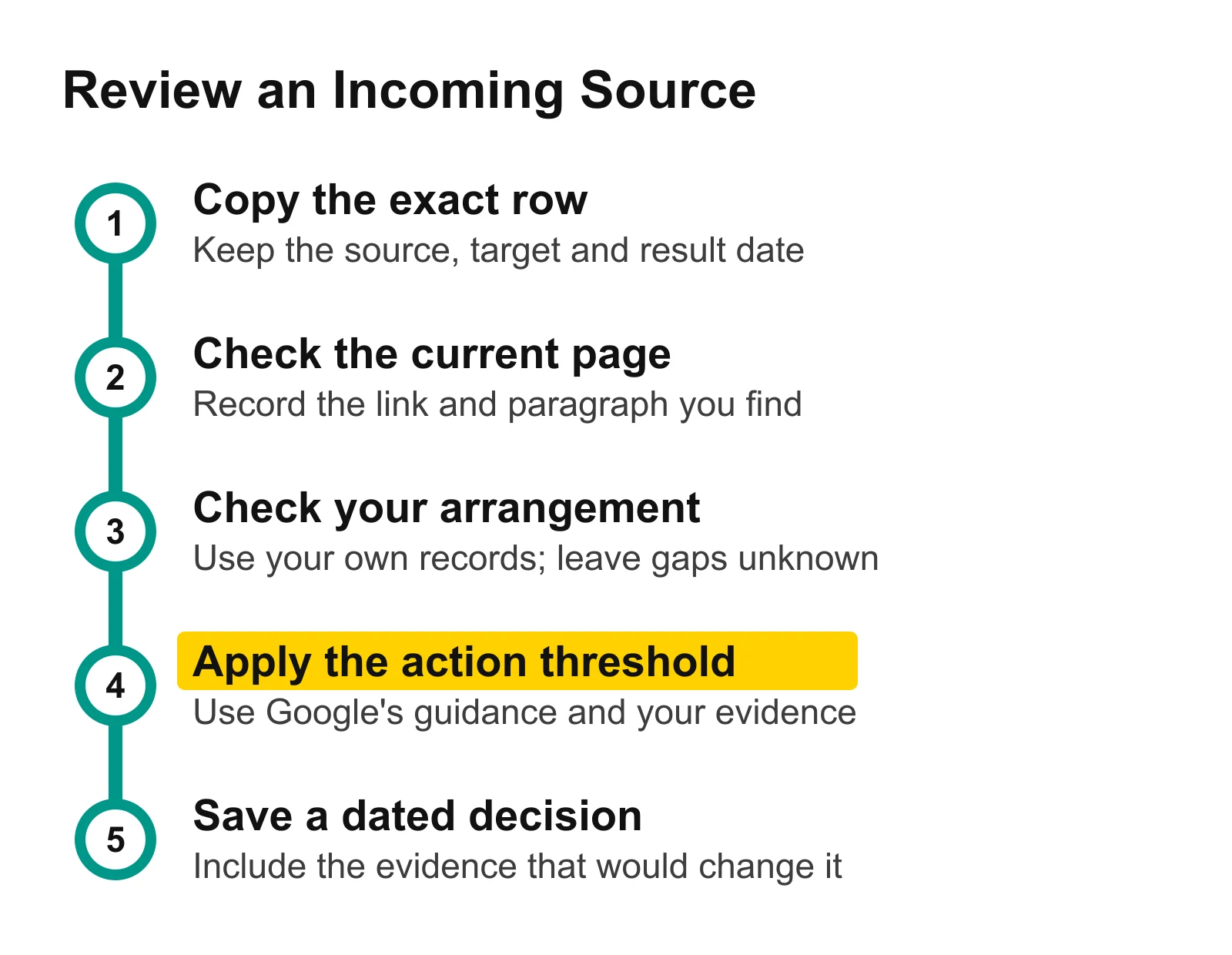
Keep the current page check separate from the arrangement check. A dated decision becomes easier to revisit when you record what new evidence would change it.
Google's disavow guidance says most sites will not need that tool. It sets a combined threshold: a considerable number of spammy, artificial or low-quality incoming links, and a manual action they have caused or are likely to cause. It also recommends removing as many problematic links as possible when that situation applies.
Apply that threshold to your records before preparing any disavow submission. These two public source checks establish neither an offending link arrangement nor that combined condition, so the filled sheet stops at recording and closer review. If your own evidence reveals a qualifying problem, follow Google's guidance for your verified property and the issue it identifies.
Review one source on your own site
Open Backlinks, choose Domain and enter your site. In Who's Linking to My Site, copy one unfamiliar source and its destination into the worksheet, inspect its current context, then finish the decision and recheck-trigger fields before moving to another row.
Use backlinks versus referring domains when you need to understand concentration in the counts. Keep this source-level decision alongside your website SEO performance check, so your next action follows a specific finding instead of an alarming label.