- Backlinks
- Tutorial
Nofollow Links: Check and Choose the Right Marking
Editorial responsibility: SearchCub
Choose a nofollow marking from the link's actual relationship, then check the exact anchor your page publishes. You will make a short record that keeps the observed markup, dates and decision together. SearchCub's Backlinks helps you find the incoming citation to inspect; choosing an outgoing link's marking is your own publishing decision.
Our example follows two real links to productiveblogging.com in a United States report acquired on 5 October 2026. We compare that retained sample with the source pages' public HTML checked on 8 October. Then we apply the same inspection method to an ordinary source citation on SearchCub's own site. The example implies no affiliation with either external publisher.
What Does Nofollow Tell You?
nofollow is a value in an anchor's rel attribute that qualifies the link for Google. It is separate from the address in href and the clickable words between the opening and closing anchor tags.
Google says qualified links are generally not followed, while their destinations can still be found elsewhere. Nofollow is therefore not a guarantee against crawling, indexing or ranking. Read Google's outbound-link guidance when choosing a qualification; a link flag alone cannot settle what happened to a page.
The practical question is narrower: what does this exact link currently emit, and what marking fits a link you control? Keep the difference between backlinks and referring domains for a separate count comparison. Here, one source page, one destination and one anchor are enough to make progress.
Find the Citation and Keep Its Dates
Open Backlinks, enter your domain, choose Region, and click Search to research the domain. In the result's Backlinks tab, use Who's Linking to My Site to locate a source you want to check. Record its Linking page and the exact destination shown after To. Anchor helps you locate the citation when supplied.
For our example, the source is Niche Blog Pro's cost-of-starting-a-blog article. Its destination is Productive Blogging's blog-cost guide. The recorded Anchor says Not supplied, so the addresses identify the citation more reliably than guessed wording.
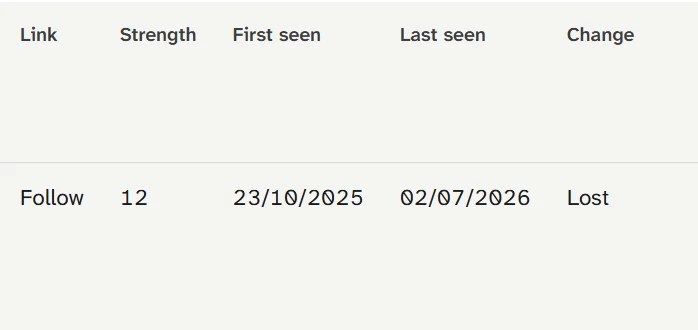
The native display captured on 7 October says Follow and Lost, with first seen 23 October 2025 and last seen 2 July 2026. Keep these observation dates before checking the source page's current anchor.
Write down Link, Change, First seen and Last seen. In this row, Follow and Lost describe the retained link observation. They are a reason to check the exact source, rather than a current answer about its HTML. The source page's recorded title also says “One moment, please...”; opening its actual address is more useful than treating that title as the article's content.
This is a bounded sample of linking pages. Work on the specific citation you found instead of assuming the table contains every link to the site.
Inspect the Same Destination in the Source HTML
Open the source page and find the citation leading to the recorded destination. In a browser, inspect that link or open the page source and search for its exact destination address. Read the whole <a> element, including href, rel and any target. Save the inspection date separately from the backlink observation dates.
The Niche Blog Pro HTML checked on 8 October contains this exact citation:
<a href="https://www.productiveblogging.com/how-much-does-it-really-cost-to-start-a-blog/" rel="nofollow noopener" target="_blank">Productive Blogging</a>Record nofollow noopener, not simply “nofollow.” The first token is the qualification we are investigating; the second concerns browser behavior. The current HTML also supplies the wording Productive Blogging, even though the retained table did not supply an anchor. Leave both observations intact instead of silently replacing the earlier missing value.
We found the citation in the returned HTML despite the retained Lost flag. That establishes that this response contains the anchor. It does not establish when the markup changed or why the older link observation differs. If you inspect the live element too, record that as a separate check: an original HTML response and a browser's rendered element are different observations.
Compare Another Actual Anchor
Jasmine Directory's blog-marketing article provides a useful contrast. The retained row says Follow, with No change supplied, first seen 21 May 2025 and last seen 22 September 2026. Its citation wording is “research from Productive Blogging.”
The exact anchor in the HTML checked on 8 October is:
<a href="https://www.productiveblogging.com/the-advantages-and-disadvantages-of-blogging/">research from Productive Blogging</a>The result to record is rel absent. There is no dofollow="true" to find or add. MDN's rel reference describes the attribute's relationship values; an ordinary anchor can work without that attribute.
Neither citation's wording or markup establishes its publisher's commercial arrangement. We leave both relationships unknown and make no recommendation that either publisher change its link. Their anchors are useful inspection examples, not evidence that one source is better or that either link produces a ranking benefit.
Choose a Marking for a Link You Control
Decide from your actual publishing context before changing a token. Google's qualification guidance supports these branches:
Your known relationship | Qualification to consider |
|---|---|
Ordinary editorial reference | No qualification token required |
Advertisement or paid placement |
|
User-submitted comment or forum link |
|
Other case where the specific values do not apply and you want to avoid Google's association or crawling from your link |
|
These are conditional choices for your own link. They do not fill the missing relationship information for Niche Blog Pro or Jasmine Directory.
We can make a completed decision on a link we do control. In SearchCub's SEO introduction, the first Google SEO Starter Guide citation was published as an ordinary editorial source reference, without payment or a user submission. The HTML checked on 8 October contains:
<a href="https://developers.google.com/search/docs/fundamentals/seo-starter-guide" rel="noopener noreferrer">Google SEO Starter Guide</a>Our decision is retain that value. The known ordinary citation does not need a qualification token. We also retain the absence of target, rather than introduce a new-tab choice. A check that ends in “leave it as it is” is still a useful decision.
Preserve Browser and Privacy Behavior
Read the tokens separately when editing an owned link. MDN documents noopener as preventing an opened browsing context from accessing the page that opened it through window.opener. MDN documents noreferrer as suppressing referrer information and also providing noopener behavior.
Those purposes differ from Google's link qualification. Deleting an entire rel value just to remove one marking can change another behavior you intended to keep. Conversely, seeing noopener noreferrer does not mean the link has been marked nofollow.
For the SearchCub citation, preserving the exact emitted value is straightforward. If your own relationship later changes, choose the applicable qualification and retain unrelated tokens you still need. Google permits multiple qualification values; keep the token list readable and verify what your editor actually saves. Check target separately, since it controls a different part of the link.
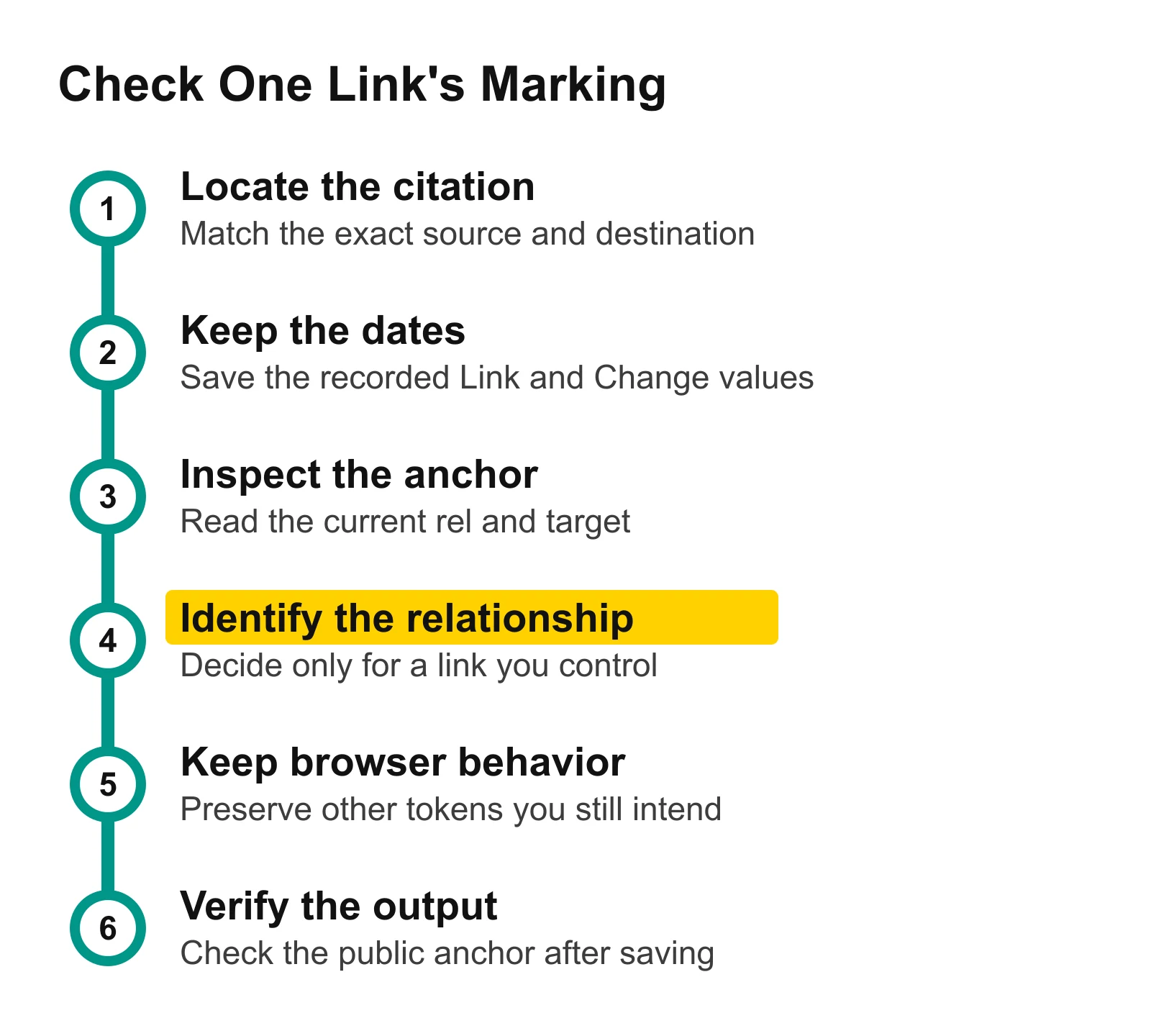
Keep the source and dates, inspect the exact anchor, and decide from a relationship you know. The final check reads the published output, preserving browser behavior alongside any qualification.
Save a Record You Can Recheck
Download the filled link-marking record. It contains the two observed incoming citations and the SearchCub editorial reference, with their addresses, native dates, HTML values and decisions. The external relationships remain unknown; the ordinary reference's decision is retain.
For your next link, keep a record with:
Source page and exact destination, so you inspect the same citation again.
Native Link and Change values, plus first and last seen dates where supplied.
HTML inspection date, actual
reltokens or rel absent, and the actualtarget.Relationship you know, intended full token set and retain/change/unknown decision.
If you change an owned link, save through your editor and reopen the public page. Check the exact destination, emitted token set and intended opening behavior. Compare those with your record; a switch in the editor or an old backlink flag is not that output check. This article's own-site example required no edit, so it supplies a verified retain decision rather than a fabricated before-and-after result.
Use the website SEO performance scorecard when deciding which wider site question needs attention, and internal-links guidance when the next useful route between your pages is missing. For this narrower task, open Backlinks, find one exact source and destination, and record the dates before inspecting its current anchor.