- On-page SEO
- Tutorial
SEO-Friendly URL: Choose a Clear Slug Before Publishing
Editorial responsibility: SearchCub
Choose an SEO-friendly URL slug that describes your page’s answer, then check the full address before publishing. You’ll finish with one naming choice and a short preview checklist for an unpublished draft. Use SearchCub’s Domain overview to inspect two real blog addresses, then complete the downloadable worksheet manually.
The example is Productive Blogging’s earnings survey and income-method guide, shown in Pages for United States · English, retrieved October 7, 2026. Their subjects are close, but their questions differ: how much bloggers earn, and how blogs make money. That difference gives us something concrete to preserve when choosing words for a new slug.
Name the Answer Before the Address
Start with one sentence describing what the reader will learn. For the survey, that sentence is “Read survey findings about bloggers’ earnings and how the data was collected.” For the methods guide, it is “Understand the ways a blog can earn income.”
A URL is the full web address. Its path is the part after the domain, such as /how-much-do-bloggers-earn/. Here, the slug is the final descriptive path segment: how-much-do-bloggers-earn.
Keep these pieces separate when you work. Your publishing system may put articles under /blog/, but that prefix is a site convention; the words you choose belong in the slug field. A draft title can explain more than the address needs to explain.
If you are still deciding whether the article answers “how much” or “how,” settle that question before naming it. The keyword-led article brief can help you write the page promise. Once that promise is clear, choose wording that a reader could recognize outside the article, such as in a copied link.
Find Two Real Addresses in Pages
Use Domain overview → Pages to find the reference addresses, then read the linked articles to identify their answers.
Open Domain overview, choose Domain, enter productiveblogging.com, and select United States under Region. Click Search (the Research domain button), then open Pages and look at the Page column. If you have already researched this domain, you can reopen your own saved Domain overview result and open Pages.
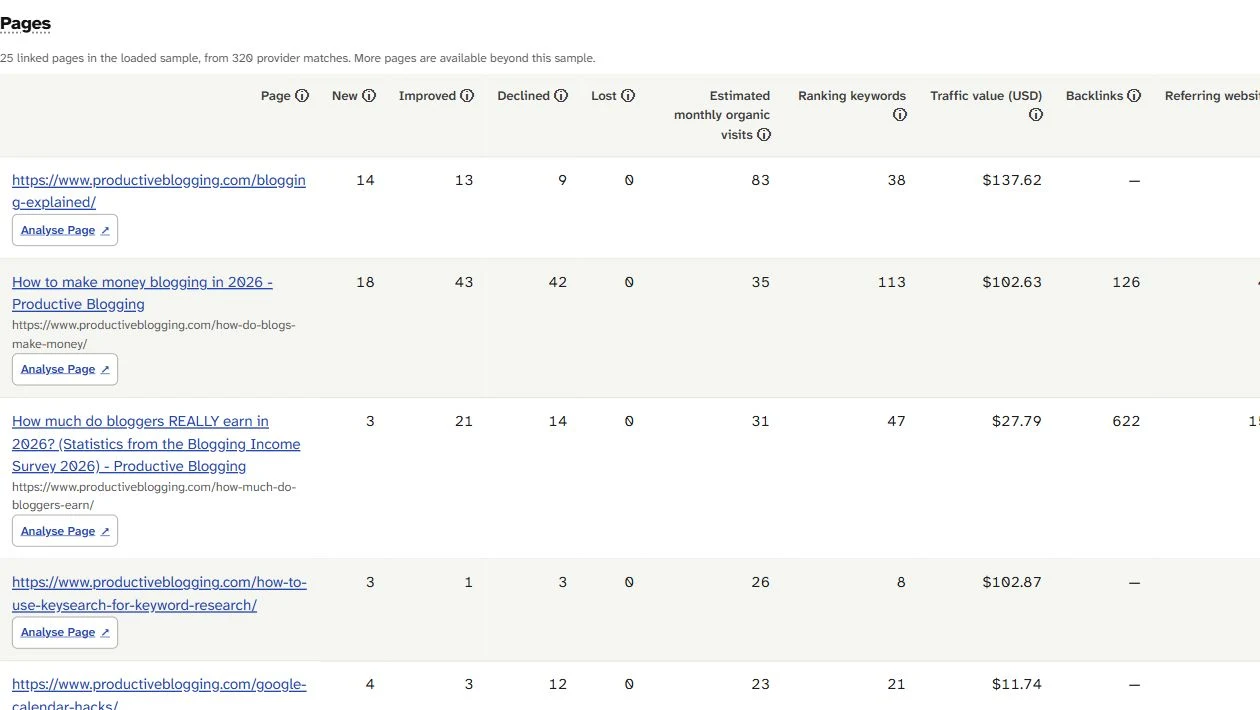
Pages lists the earnings survey and income-method guide as separate addresses. Read each page before choosing the words for a new slug.
Find the bloggers’ earnings survey and the guide to blog income methods. The visible titles help you identify them, while the paths underneath show the address wording. For this task, follow those public links and read the articles rather than running Analyse Page.
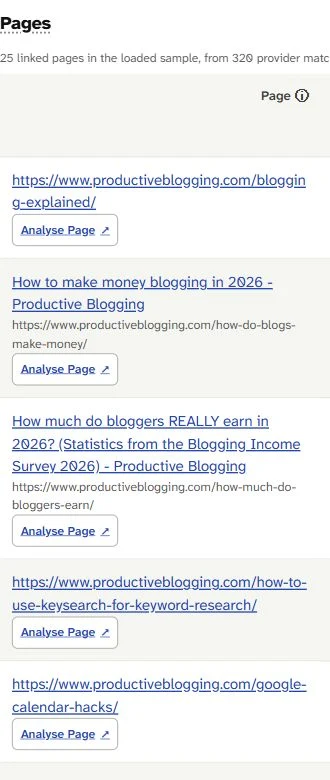
The survey asks how much bloggers earn; the guide explains how blogs make money. Their paths preserve different questions even though both discuss income.
SearchCub supplies the addresses and page identities; choosing a slug and checking your own publishing-system preview are manual steps. Record the public reference address in a separate worksheet column so that your proposed new address stays easy to distinguish.
Preserve the Difference Between Amounts and Methods
Use the question that matches the article’s actual answer. The survey’s “how much” wording points toward amounts and findings; the methods guide’s “how” wording points toward ways of earning income.
The retained survey body includes earnings breakdowns and a methodology section. The methods guide covers advertising, affiliate links, sponsored content, products, and services. Those public article bodies were checked on October 5, 2026; the Pages identities shown above were retrieved on October 7.
Existing reference | What the reader gets | Observed slug |
|---|---|---|
Earnings survey | Findings about amounts earned, with methodology |
|
Income-method guide | An explanation of the ways blogs earn income |
|
Compare those two paths with money-blogging. That phrase names the shared subject but leaves the question unclear. A reader looking for earnings figures could reasonably expect something different from a reader looking for income methods.
The decision is therefore about the answer, not simply the presence of a topic word. Retain “how much” when the page delivers survey findings. Retain the methods question when the page explains income sources. You can make that distinction without copying the complete title into the address.
Complete the Initial-Slug Worksheet
For this manual exercise, choose how-much-do-bloggers-earn for an answer you intend to keep updated across survey editions.
This is a hypothetical unpublished naming exercise based on the real survey’s page promise; neither publisher address is being renamed, and the exercise does not explain the publisher’s original choice. We assume that your new draft will remain the current answer across editions, and that your site places articles under /blog/.
Download the initial-slug worksheet. It contains the survey choice, a fixed-edition alternative, the methods comparison, and a row for your own unpublished page. The columns keep the observed live address, naming option, editorial decision, and preview result separate.
Option for the unpublished exercise | Decision | Reason |
|---|---|---|
| Select for the assumed updated answer | Preserves the recognizable earnings question |
| Reject for this exercise | Identifies an item but gives the reader no subject |
| Consider only for a fixed edition | Makes the edition part of the page promise |
With the first option, our assumed preview path is /blog/how-much-do-bloggers-earn/. Write that in the proposed-path column, while keeping the source’s actual /how-much-do-bloggers-earn/ path in its own column. Leave the manual preview result unconfirmed until you check your own draft.
Use Readable Words and Hyphens
Choose familiar words and separate them with hyphens. Google’s URL guidance, checked October 7, 2026, recommends descriptive wording in the audience’s language and hyphens between words.
In the selected slug, how-much preserves the type of question, bloggers identifies the subject, and earn identifies what is being measured. Removing the small question words would make this particular choice less recognizable, even if the result were shorter.
There is no need to turn this decision into a character-count exercise. Compare the options by asking whether someone seeing the address can understand the promised answer. Adding unrelated phrases for other searches would make this survey address harder to read.
This exercise uses lowercase consistently. Google’s guidance also notes case-sensitive URL handling, so keep the expected casing visible in your preview check. Follow your site’s established address convention rather than creating a second spelling while entering the slug.
Decide Whether a Year Defines the Page
Include a year when the page is deliberately one fixed edition. Use an address that can stay current when the intended page is one answer updated across editions.
The observed survey title includes 2026, while its current slug omits the year. That observation shows the title and path can differ; it does not reveal the publisher’s future plans. Our worksheet’s choice follows its stated editorial assumption, not a claim that removing dates improves rankings.
If your new article will preserve the findings of a particular edition, how-much-do-bloggers-earn-in-2026 makes that narrower promise visible. A later survey could then be a different editorial decision. If you plan to replace the findings within one continuing answer, the year-free option fits that plan.
Choose one of those promises before checking the address. The worksheet offers a conditional branch, not two destinations for the same draft. Your title, introduction, and selected slug should all agree on whether readers are opening a fixed edition or a current answer.
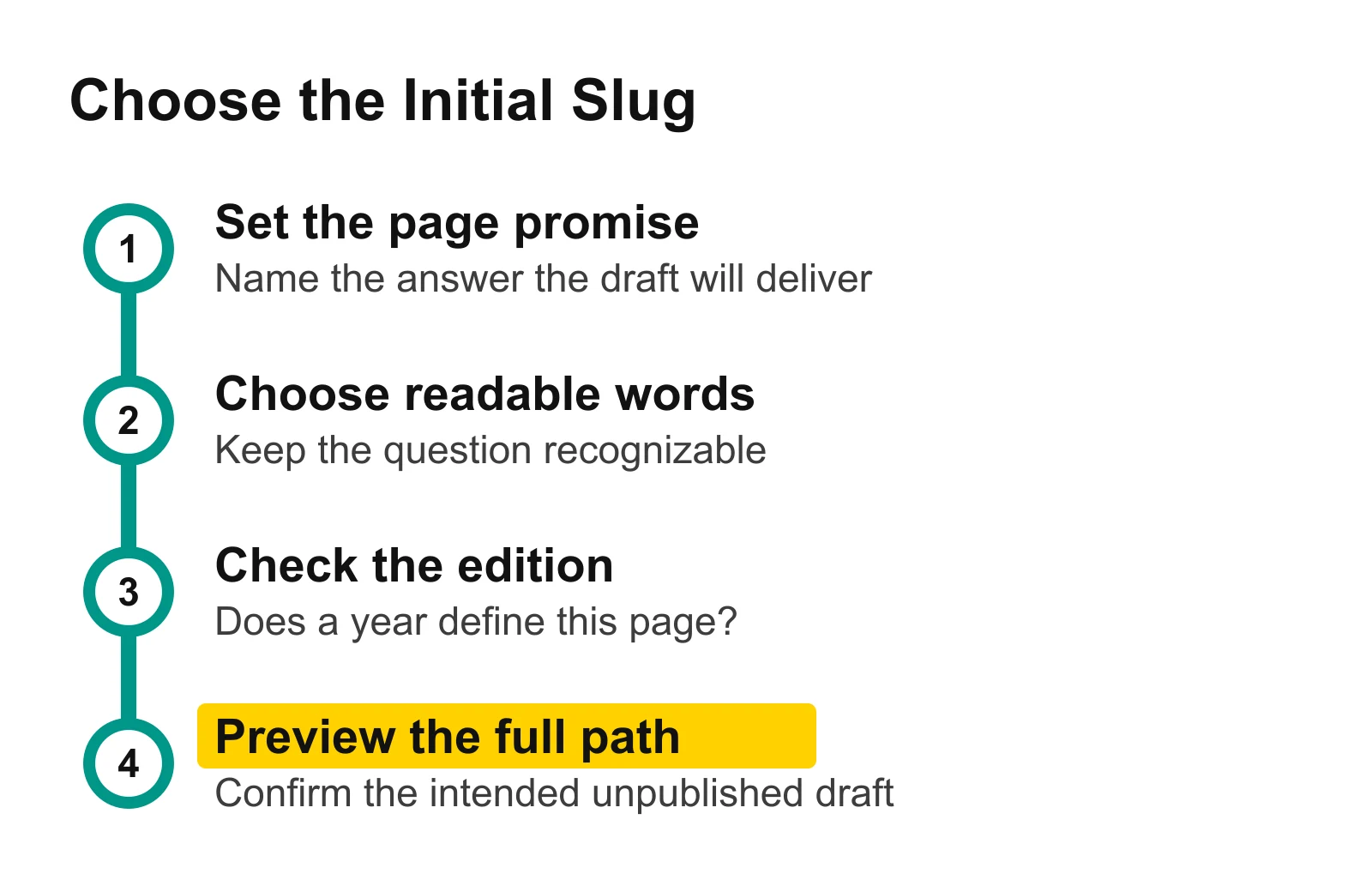
Set the answer first, then choose the slug and check the full preview path. Complete these choices while the page is still unpublished.
Check the Full Address Before First Publication
Enter the selected slug in your publishing system, inspect the intended full address, and preview the correct unpublished article before publishing.
Use this sequence with the survey exercise:
Enter
how-much-do-bloggers-earnin the draft’s slug or permalink field.Read the intended publication address shown by the system. Compare the prefix, slug spelling, casing, and any appended suffix with the worksheet’s assumed
/blog/how-much-do-bloggers-earn/path.Open the draft preview and confirm that it contains the earnings-survey answer rather than the income-method guide.
Check that the edition choice agrees with the title and introduction. For our selected option, the draft is intended to stay updated across editions.
Correct a mismatch while the article is unpublished, repeat the check, and record the actual result in the worksheet.
If your preview link contains a temporary draft identifier or access token, use the publishing system’s displayed intended public address for the path comparison. The preview still serves a separate purpose: confirming which article you are about to publish. Keep any private preview link out of the downloadable worksheet.
No CMS preview has been performed for this exercise. The downloadable row says so, giving you a place to record your own result instead of treating the proposed path as verified.
Next, open Domain overview, enter your own domain, and inspect one existing page in Pages. Write its answer beside its address, then complete the worksheet’s reusable row for one unpublished draft. Once you have chosen and checked its initial slug, use the guide to titles and meta descriptions for those separate fields, the internal-links guide for linking the new page into your site, and the website SEO performance guide for the wider site review.