- Content Planning
- Tutorial
Blog Categories: Choose a Focused or Broad Collection
Editorial responsibility: SearchCub
Choose blog categories by the collection a reader wants to browse: keep a broad category for exploring different approaches, and use a focused collection for a particular kind of work. You will finish with actual article memberships, a decision about collection size, and a route to check before changing your site. Start with SearchCub's Domain overview to find existing page URLs, then inspect their public category pages.
A blog category brings several existing articles together under a browsing promise. Someone entering an income category might want to compare ways to earn from a blog; someone entering an SEO category might want practical work on search visibility. Write that promise in everyday language before deciding what to call the collection.
Our example is Productive Blogging. Its United States · English Pages result was retrieved on October 7, 2026, and the public collections were checked the same day. We will carry its beginner SEO guide and earnings article from the product result into two real collections: SEO Tips and Monetize your Blog.
1. Start With Existing Article URLs
Open Domain overview, choose Domain, enter productiveblogging.com, set Region to United States, and click Search. Select Pages in the domain result. On your own site, use your domain and the region you want to examine.
Read the Page column for recognizable article identities. Here, /beginners-guide-seo/ gives us a starting SEO article, while /how-much-do-bloggers-earn/ gives us a starting income article. Record the URLs in your notes and open the public pages when you need to check their collection links.
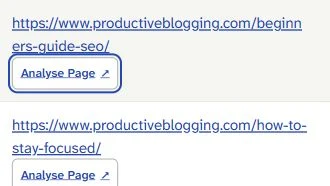
The Page column contains the beginners-guide-seo article URL. Take that identity into the public site to check its category association; the row itself supplies a starting article, rather than a category assignment.
For this decision, leave the row's search figures aside. SearchCub supplies a sample of page leads; article membership and collection routes need a separate public-site check, and any category changes happen in your CMS, the system you use to publish your site.
The beginner guide's current public page links to SEO Tips. That connects a real article selected in the product to a collection we can inspect. Write “SEO Tips link on the article” in the membership column of your sheet, rather than treating the product row as proof that the guide appears on a particular archive page.
Choose: the SEO guide and earnings article as starting pages for this exercise. Their different subjects let you compare collection scope without turning the task into a ranking or update-priority review.
2. Match the Collection to the Browsing Task
Use the focused collection when the reader already knows the kind of work they want to do. The current SEO Tips collection introduces SEO for bloggers. Its observed cards include finding low-competition keywords, using KeySearch for keyword research, and internal linking.
Those cards support a practical browsing promise: “Find SEO work to do on an existing blog.” A reader arriving from the beginner SEO guide can continue into that focused collection. The site's navigation also has a broader Grow your Blog label, but the SEO collection is the specific route examined here.
Keep a broad collection when the reader is still comparing approaches. The Monetize your Blog collection includes cards about Mediavine advertising, creating and selling an ebook, online courses, and passive income. The earnings article selected in Pages is also an observed card in this collection.
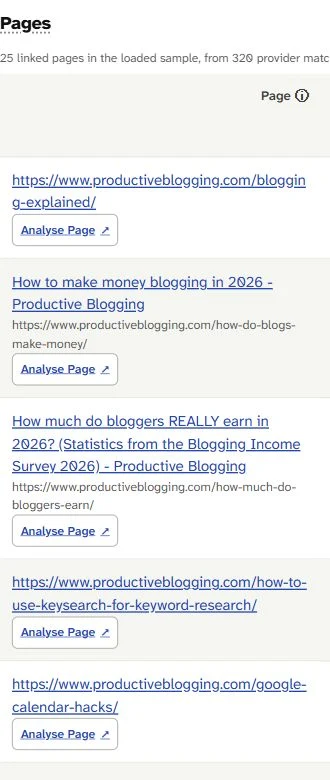
The earnings article is visible in the Page column. Its exact URL also appears on the checked Monetize your Blog archive page, connecting this product lead to a broad income browse.
The income cards suggest a different promise: “Explore the ways a blog can earn money.” Keeping advertising, products, courses, and the earnings report together serves that exploration task. A report and a procedure can belong to the same collection even though each article answers a different question.
Use the following choices in your own notes:
What the reader wants | Observed example | Collection decision |
|---|---|---|
Practical SEO work | Keyword research and internal-linking cards in SEO Tips | Use the existing focused SEO browse |
Different income approaches | Advertising, ebook, course, and passive-income cards | Keep the broad income browse |
Reading about advertising specifically | Journey, Mediavine ads, and growing Mediavine income cards | Record a possible narrower collection for later evaluation |
A topic that crosses both subjects | The same AI-overviews article URL in both collections | Keep one article destination in both recorded memberships |
Choose: the collection by the reader's browsing task. A shorter label or narrower subject is useful only when its articles give that reader a coherent place to continue.
3. Separate a Possible Child From an Existing Category
A repeated subtopic can justify considering a focused child collection, while the broad category remains useful. In Monetize your Blog, the observed advertising cards include Journey by Mediavine, making money with Mediavine ads, and growing Mediavine income. Together, those actual cards give us material for a possible advertising browse.
Write a proposed promise such as “Browse articles about advertising income.” Then list the actual articles that would support it and explain how the choice differs from exploring every income method. Keep the proposal in a separate column from the current collection name and route.
For this example, the decision is to retain Monetize your Blog and record the advertising collection as a recommendation to evaluate. No new child category has been applied. Before making one on your own site, check whether it gives readers a useful additional choice and whether your CMS supports the organization you want.
Platform support matters at that point: Wix's category instructions say Wix Blog does not support subcategories. A focused collection may therefore require a different presentation in that CMS. Use your platform's instructions when turning the browsing decision into a site change.
Also test whether an attractive article phrase actually describes a collection. SEO Tips includes a KeySearch procedure, a review, and a coupon-code card. Those are different reading tasks inside the observed SEO collection; the coupon wording alone gives no reason to add another category to this example.
Choose: keep the existing collection, propose a narrower browse, or leave the articles together. Record a reason based on the articles you have, rather than generating new posts to fill a name you have already chosen.
4. Record Overlap Without Splitting the Article
An article can be reached through more than one collection while keeping the same destination URL. The current first pages of SEO Tips and Monetize your Blog both include /how-will-ai-overviews-impact-bloggers/. Record the same exact URL in both collection rows.
For a small site, this changes how you maintain the sheet. You need one article identity with its observed collection memberships, instead of treating every card appearance as a separate article. When you review another collection, match the destination URL before adding a new article entry.
In this case, keep the overlap and ask whether each browse has a reason to offer that article. The observation is shared card placement; it establishes neither a duplicated article body nor a ranking effect. Your category decision is about routes into existing reading.
The distinction becomes useful when you return to content planning. Deciding which article should answer a search is handled in the keyword-grouping and page-mapping guide. Here, you are choosing the collections through which people can reach several existing articles.
5. Check the Route and the Membership Separately
Follow the category link and record where it lands before changing navigation. The SEO guide links to /category/grow-your-blog/seo-tips/. In the recorded check, that requested route redirected to /category/seo-tips/, while the canonical URL declared in the returned HTML still used the nested route.
A canonical URL is the address a page declares as its preferred address. Put the requested route, the final route, and that declared address in separate fields. In this example, the successful redirect gives us a working browsing route; the different path shapes do not establish that the site's formal parent categories changed.
Check the articles separately too. Each fetched collection's first page contained 18 cards, and the SEO guide was absent from the first SEO page despite its current article-to-category link. Pagination leaves later membership unknown, so a first-page omission is not a reason to mark the guide removed.
For your own site, open the category from an actual article or navigation link, read its introduction, and check a few relevant cards. If you are checking whether a particular article belongs, continue through pagination or inspect its assignment in your CMS. Record the check that answers your question instead of combining route behavior, article labels, and card presence into one conclusion.
Keep the Filled Sheet, Then Make One Decision
Download the filled blog-category decision sheet. Its eight completed cases include the focused SEO browse, broad income browse, proposed advertising child, shared article, coupon wording, two product-selected articles, and a guide whose first-page presence remains unverified. It records article URLs, membership sources, browsing promises, decisions, and requested, final, and canonical routes.
For your own site, replace the example articles with your actual URLs and keep current observations separate from proposed changes. Finish one collection at a time: write its browsing promise, list the articles you checked, and choose to retain it or investigate a narrower route. That is a concrete category decision even when the best action is to keep the broad browse.
Return to Domain overview, enter your domain, choose Region, click Search, and open Pages. Your next action is to take one existing article URL into the sheet and check the collection it currently leads to.
When you want to choose the next article, use the keyword-research guide for bloggers. When those separate article decisions need a work schedule, follow the content-plan guide. Keep the category sheet for the articles you already have.