- Keyword Research
- Tutorial
How to Do Local Keyword Research
Editorial responsibility: SearchCub
To do local keyword research, match searched services to what your business offers and the place it serves, then choose an existing page to improve. You will finish with a short list of suitable searches, a reason to keep or set aside each one, and a practical change to a service page. Use Keyword overview to inspect a search, with Keyword ideas to discover related wording.
The worked example is Cycle Path Bicycles in Athens, Ohio. Its repair menu lists bicycle repair tasks, while its service packages describe a package-based service option; both were checked on October 5, 2026. We will use the United States keyword results retrieved that day to decide which searches fit those actual services, then propose an improvement to the existing repair menu.
Start With What the Business Actually Offers
Open your service pages before searching for keywords. Write down the work a customer can ask you to do, how they receive that service, and the place you actually serve. Keep these separate: a bicycle repair, a visit to a shop, and a mobile repair at the customer's home make different promises.
Cycle Path's menu names tube changes, wheel truing, brake adjustment, gear adjustment and chain work. Its public site identifies the business with Athens, Ohio. Those facts give us a sound starting subject: bicycle repairs at a shop associated with that place.
Use the same standard for your business. A broad description such as “we help with bikes” leaves too much to guess; a list of actual repair tasks gives you something to compare with a search. Ask the person doing the work about restrictions, specialist jobs and how customers request an estimate, then keep their answers beside the service list.
The first decision is the service you will investigate. For this example, choose bicycle repair. Keep tune-up packages as a separate option rather than treating every phrase containing bike as equally useful.
Inspect a Service Search in Keyword Overview
Open Keyword overview. Enter bike repair near me in Keyword, select United States in Region, and click Search; when a keyword list appears, click the phrase to open Keyword analysis. Confirm the query and region above the result before reading the numbers.
The retained result shows Monthly searches of 60.5K and Difficulty of 0. Monthly searches estimates how often the phrase is searched in the selected country; difficulty estimates how competitive the search is. Use them to choose a result worth investigating, then read what that result asks a useful page to provide.
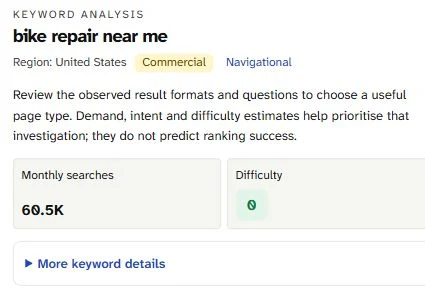
The 60.5K monthly-search estimate and difficulty 0 describe this United States query. Match the searched service to the business before choosing a page to improve.
Below the metrics, inspect SERP overview. The saved result includes Local results and People also ask, alongside organic results such as a local directory, a store page, a service page and community discussions. These are clues to the customer's task: find a repair option and understand what happens next.
These are country-wide estimates, not Athens demand or Cycle Path's own analytics; the returned snapshot includes other places and is not an Athens ranking or Maps report. Check the actual service area and place-specific search results manually before using a query to justify a location page.
The result gives us a service to investigate, rather than a reason to create a page immediately. Cycle Path has an actual repair menu, so a person looking for a bicycle repair could have a useful next step there if the service and place both fit.
Discover Related Searches, Then Check Eligibility
Use Keyword ideas with the seed bike repair and the same country. In the Keyword set, read Monthly searches beside each phrase; the loaded list contains possible subjects, so compare the wording with the service notes you already made. Search-volume order is useful for scanning, but the highest row is only a candidate.
The measured list includes bike tune up near me, with 4,400 monthly searches and difficulty 0, and mobile bike repair, with 2,900 monthly searches and difficulty 2. The first fits the package page's subject. The second adds a different delivery promise, so it needs a business check before you target it.
Other rows make the filtering decision clearer. Set aside motor bike repair near me from this bicycle-service list, and set aside bike repair stand because the phrase concerns equipment rather than asking the shop for a repair. A shared word is weaker evidence than an actual match between the searched job and the job the business performs.
Treat electric bike repair carefully too. Establish which mechanical or electrical jobs, bikes and brands the business accepts before adding that phrase to a service page. The checked pages do not establish mobile service or every e-bike repair scope, so mark those opportunities needs confirmation rather than advertising them.
Search or check | What fits this business example | Decision |
|---|---|---|
| The repair menu lists actual bicycle repair tasks | Keep for review of the existing repair page |
| The service-package page provides a matching subject | Keep for review of the existing package page |
| The offering and its service area need a business answer | Needs confirmation |
| A different vehicle from the worked bicycle service | Exclude from this service list |
| Equipment wording rather than the worked repair job | Exclude from this service list |
| Exact repair scope needs confirmation | Confirm the job and accepted bikes first |
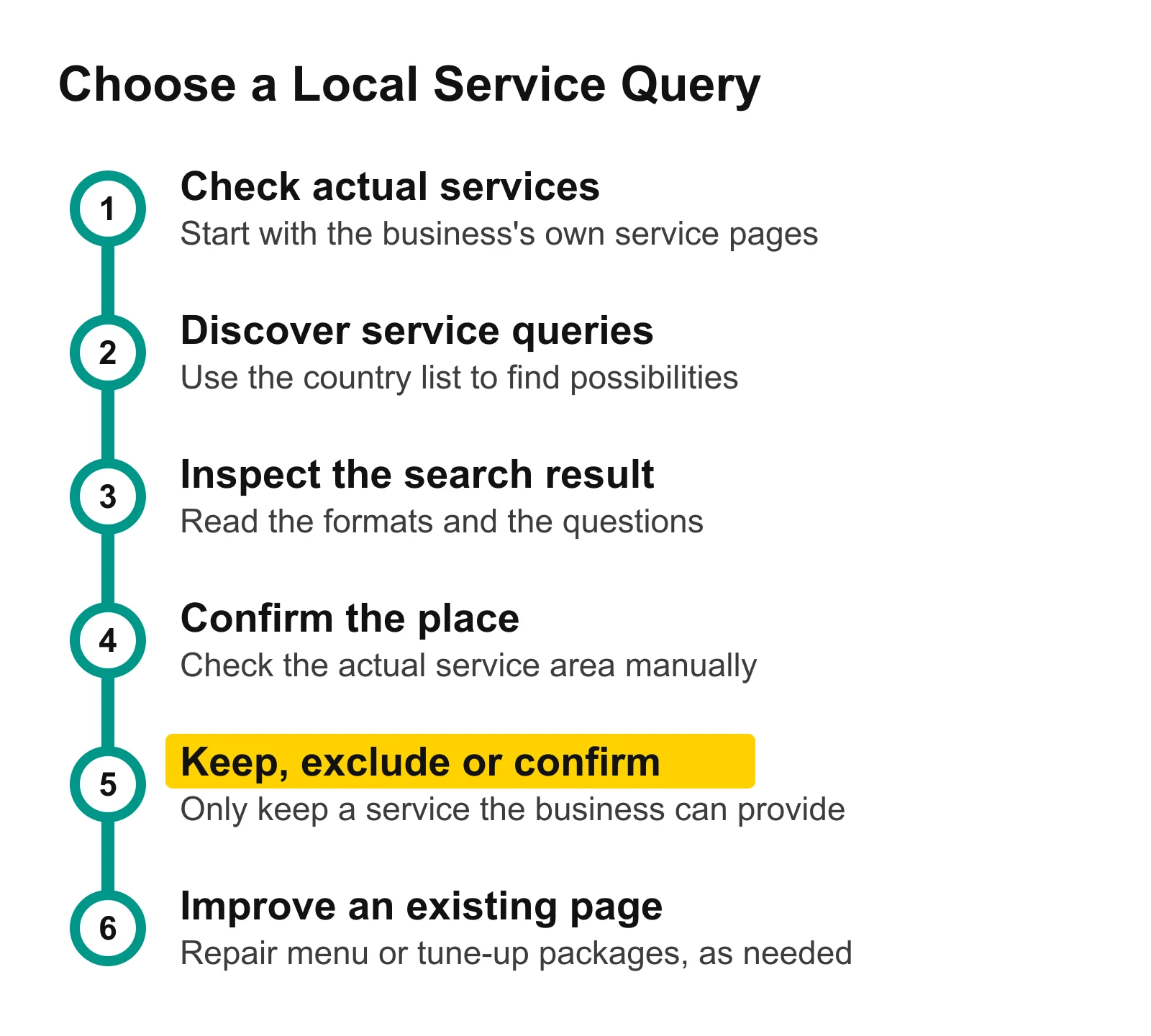
Service and place checks come before the page decision. Keep a confirmed repair job, set aside a different job, and leave an unconfirmed offering for a business answer.
Check the Place Separately
Write the town and state beside each kept service. Cycle Path's public statement gives us Athens, Ohio, so use that complete place name when checking a result manually. An unqualified Athens leaves room for a different place; the business's own location is the starting evidence.
You can inspect a wording such as bike repair Athens Ohio as a manual place check. Leave its volume and difficulty blank in your notes until you have measured that exact query. Record whether the local result presents shops, directories, repair-service pages or another format, and compare the service information a visitor would need with your existing page.
For another town, ask what connects the business to that customer: a genuine branch, a confirmed service area or a delivery arrangement. Keep an unanswered place in the confirmation column. This keeps a keyword list from becoming a set of pages that promise service wherever a place name can be inserted.
For Cycle Path, retain the stated Ohio location and the actual repair service. That is enough to review the existing page; surrounding-town landing pages stay outside this decision.
Turn the Kept Search Into an Existing-Page Improvement
Choose Cycle Path's repair menu for the general repair group because it already names the repair work. Choose the package overview for the tune-up group because that page's subject is packaged servicing. Keep the reasons in your notes so that the phrases lead to a useful destination, rather than to duplicate versions of a general service page.
Read the repair menu as someone deciding whether to bring in a bicycle. Check whether the introduction clearly connects the repair tasks, the Athens location and the way to request an estimate. Review the path from the service list to contact information, and make sure any scope restrictions confirmed by the business are easy to find.
The saved People also ask questions include the cost of repairing a bike and fixing a tire. Cycle Path's service-package page describes estimates, and its repair menu lists tube work, so inspect how clearly those pages answer the questions together. Improve the explanation or connection between those existing pages before adding an unrelated article or making a fixed-price promise.
This is a proposed improvement, not a claim that the shop's page is broken. Preserve the useful service information that is already there, change only what helps a customer take the next step, and leave unconfirmed offerings out of the new wording.
Download the filled local service map. It contains the measured repair, tune-up and mobile-repair queries, their United States figures, the checked service sources, existing page options and the confirmation needed before an edit. Replace the business details with your own confirmed services and place; keep unknown figures empty.
Make the Next Service Decision
Open Keyword overview and type the service phrase you kept, starting with bike repair near me to repeat this example. Read the result, check the actual offering and location, and write down one useful change to the existing service page. A short confirmed list is enough to begin that edit.
For a broader topic list, use the keyword research guide for bloggers. Read how to choose a page type from search intent when the formats are mixed, then group related keywords and map them to pages when your confirmed services have several equivalent wordings.