- Content Planning
- Checklist
Search Intent: How to Choose the Right Type of Page
Editorial responsibility: SearchCub
Choose your page type by what the searcher wants to accomplish: learn something, compare options, make a purchase, or reach a specific website. Then inspect the search results to work out the format and detail your page needs.
For example, a coffee equipment shop could answer “how to clean a coffee grinder” with instructions, “best coffee grinder for espresso” with a comparison, and a specific model query with a product page. Those are different jobs, even though all three searches involve grinders.
1. Identify the reader's immediate goal
Search intent is the purpose behind a query. Four common SEO categories are informational, commercial, transactional and navigational. A query can fit more than one category, so use the label as a starting point. Semrush explains these categories and overlapping intents.
Intent | The reader wants to… | Illustrative query | Useful page type |
|---|---|---|---|
Informational | Learn or solve a problem | how to clean a coffee grinder | Tutorial or troubleshooting guide |
Commercial | Compare possible purchases | best coffee grinder for espresso | Comparison with selection criteria |
Transactional | Buy or complete an action | buy hand coffee grinder | Product or category page |
Navigational | Reach a known destination | SearchCub login | The requested website or account page |
These examples suggest likely tasks; they are not a live ranking analysis. Write down the action in plain language: “The reader wants to remove stale coffee grounds without damaging the grinder.” That is more useful for planning than “informational.”
2. Check the intent in SearchCub
Open SearchCub, choose Keyword, enter the phrase, select your audience's Region, and submit the request. Review any account and usage prompts first. Click a keyword to open its analysis. The intent badge appears beneath its name; additional badges may show other estimated intents.
Next, inspect SERP overview. SERP means search engine results page. Note the displayed country and device, then open several relevant result links. Our SERP analysis walkthrough explains the panels.
If the intent badge is unavailable, continue with the page review. The article still needs a clear reader and purpose.
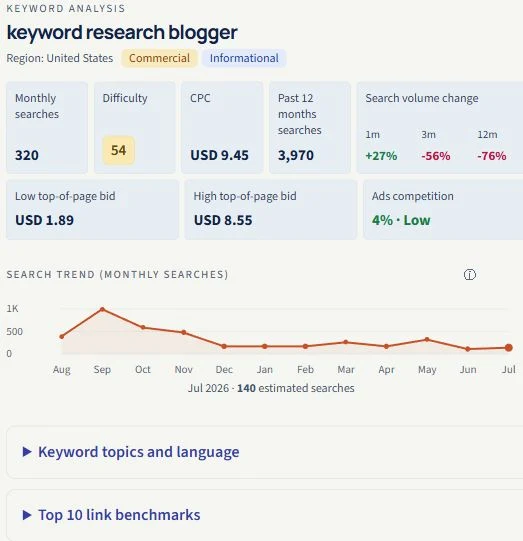
A historical U.S. example captured on 14 September 2026: the same query carried Commercial and Informational intent. This screenshot is not a current result or interface check; read the available results before choosing a page format.
3. Choose the format by reading the results
Look for three things:
Page type: Are the results articles, product pages, categories, tools or videos?
Format: Are the articles step-by-step tutorials, lists, comparisons or short answers?
Decision detail: Do readers need measurements, prices, compatibility checks, pictures or a worked example?
For a cleaning tutorial, the useful details might be suitable equipment, the cleaning sequence and a photograph of each step. For a grinder comparison, they might be grind adjustment, capacity and ease of cleaning. The same opening and outline would not serve both tasks well.
Inspect the pages themselves. A title can tell you the topic, but it cannot tell you whether instructions are complete or a comparison includes actual testing.
4. Handle mixed intent with a clear primary job
Some results contain both tutorials and shopping pages. Choose the task your site can serve well, and make it obvious near the top.
A shop's cleaning guide can explain the process first and link to a relevant cleaning accessory where it becomes useful. A product page can answer common cleaning questions without becoming a full maintenance manual. Separate pages make sense when readers need substantially different experiences.
Avoid reproducing the competing pages' outline by default. Contribute a demonstration, a tested comparison, or an explanation that solves the specific problem. Google's helpful-content guidance asks publishers to add original value and help readers achieve their goal.
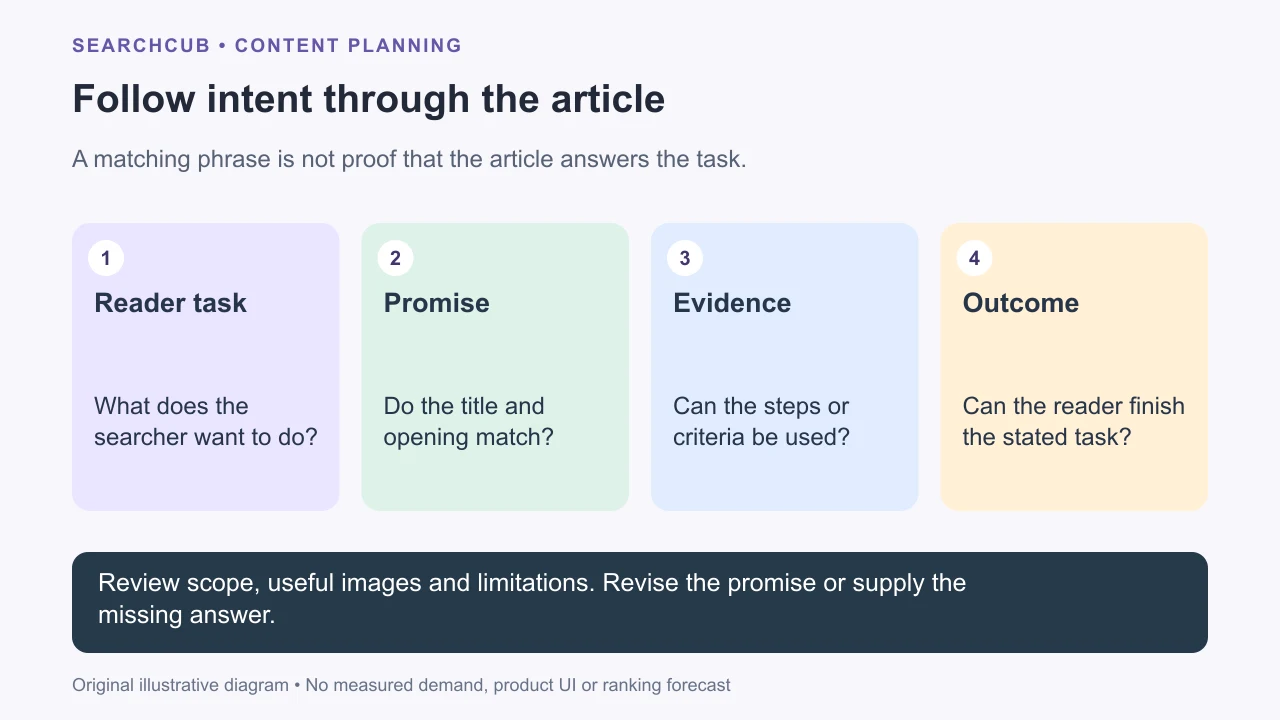
The review follows the reader’s task through the whole article.
5. Turn the decision into a brief
Before drafting, complete this checklist:
The reader wants to…
The page will help them do that by…
The best format is…
The evidence or example I will provide is…
After using this page, the reader should be able to…
For the cleaning example: “A step-by-step guide with photos that helps a home coffee drinker clean their grinder safely, using instructions appropriate to their model.”
Use that outcome to write the title and first sentence. Then check demand and competition with search volume vs keyword difficulty before committing to the article.
6. Review the finished post against that task
Read the title and opening, then try the main steps or comparison. Can the reader finish what the page promises?
Format: a tutorial gives usable steps; a comparison explains criteria and tradeoffs.
Scope: the audience and constraint stay consistent throughout.
Evidence: observations support the decision, and hypothetical examples are identified.
Completeness: the promised outcome has no unexplained missing step.
Brevity: repetition and generic setup do not hide the answer.
Limitations: unsupported conclusions, untested products and unavailable data stay visible.
Review each image and link as part of the answer. A useful image explains a step or decision; an illustration must not be presented as an observed product result. Follow prerequisite and next-step links and check that they describe their destinations accurately. Our internal-linking guide helps review that route.
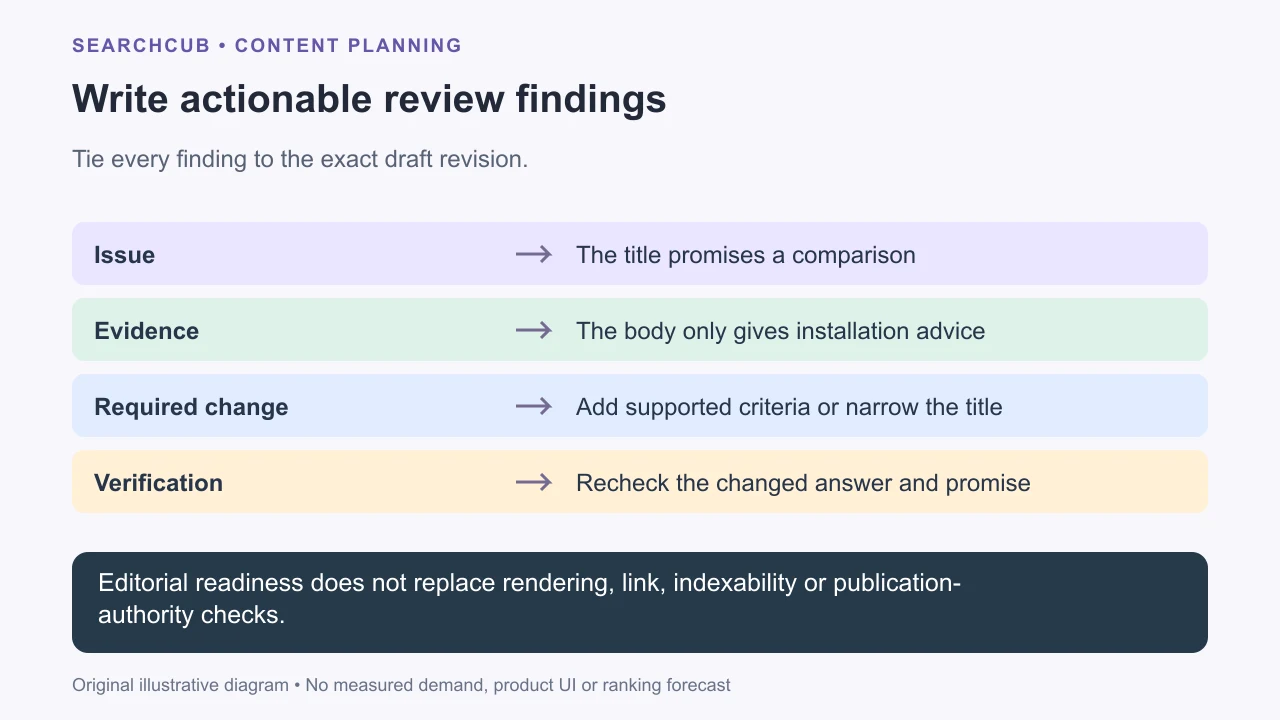
A useful finding tells the writer what to change and how to verify the correction.
Record the exact revision and a concrete finding. For example: “The title promises a grinder comparison, but the body only explains cleaning. Supply supported comparison criteria and evidence, or retitle around the cleaning task.” State what to change and how to check it.
Choose revise or ready for remaining release checks. An editorial pass does not verify mobile rendering, links, indexability or publication authority. Recheck changed material and resolve missing context before release. Google's helpful-content test is whether readers learn enough to achieve their goal, not whether a draft repeats every keyword.