- Keyword Research
- Tutorial
PPC Keyword Research: Sort Terms Before You Bid
Editorial responsibility: SearchCub
PPC keyword research starts with the offer, then sorts relevant searches into a proposed paid group, conditional exclusions and terms to hold. You will finish with a small worksheet that records those decisions and tests whether an exclusion also catches wording you want to keep. Use SearchCub's Keyword ideas for the search wording, then make the paid-search decisions in the sheet.
Our example uses seven real cold-brew wordings and two observed products: OXO's Cold Brew Coffee Maker and Compact Cold Brew Coffee Maker. For the worksheet, consider a purchase offer limited to those two products. This is a proposed Google Search exercise, with no actual OXO campaign or advertiser objective established.
1. Carry the Keyword Ideas Into Your Sheet
Open Keyword ideas, keep Keyword selected, enter cold brew coffee, choose United States in Region, and click Search keywords. In the Keyword set, find wording that describes your offer and wording that asks for something else. Copy the exact phrase, its displayed figures and the reason it needs review.
The example uses United States · English estimates retrieved on October 4, 2026, shown in the current interface on October 7. Monthly searches estimates monthly demand for the selected market. The cold brew coffee oxo row shows 8,100; its 4 related keywords control reveals the OXO wordings used below.
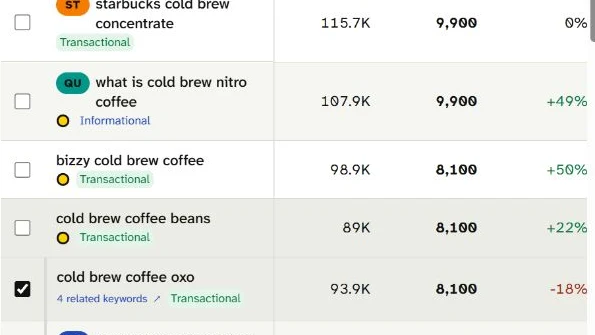
Find the selected cold brew coffee oxo row near the bottom: it shows 8,100 estimated monthly searches and 4 related keywords. Carry that wording into the purchase group; the other visible rows are outside this worksheet.
Keep the displayed figures attached to their wording. The related pane supplies no separate monthly figures for the other OXO variants, so leave those cells unknown. For the distinction between demand, organic difficulty and estimated paid cost per click, use the volume and difficulty guide; those figures alone do not establish conversions.
2. Keep the Four OXO Wordings in One Research Group
The four OXO terms belong in one proposed purchase group. Each describes OXO cold-brew equipment, and none of these wordings clearly chooses the standard or compact model. Start by recording that shared fit rather than inventing a separate ad group for each phrase.
“Positive group” means wording retained for paid-search consideration; it leaves the positive match type and landing destination unselected.
Actual retained wording | Proposed route | Reason |
|---|---|---|
| OXO positive group | Broad brand-and-product wording |
| Same positive group | Same purchase task |
| Same positive group | Shorter wording, same range |
| Same positive group | Related branded wording |
| Conditional negative-exact review | Recipe task needs an objective check |
| Conditional negative-exact review | Named product outside the two-product offer |
| Hold | Comparison support still needed |
Write the common purchase task in the group column. Keep model selection separate if the wording leaves it open. The OXO group needs an offer and destination check; the other rows need different reasons to proceed or wait.
3. Review Two Narrow Negative Candidates
Review full-wording exclusions only when the offer excludes that task. A negative keyword prevents matching searches from triggering ads within its applied scope. For a narrow initial review, keep the whole observed wording instead of shortening it to a shared product term.
Google's negative-keyword guidance explains that negative exact matches the same terms in the same order without additional words. Negative phrase can exclude that ordered phrase within a longer search; negative broad can exclude searches containing all its terms in any order. Here, brackets mark the proposed negative-exact wording.
For cold brew coffee recipe, write [cold brew coffee recipe] in the candidate column. Its 18,100 monthly estimate describes a recipe audience. If the purchase group's explicit objective excludes recipe-only tasks, review that full wording for this group; if teaching the recipe is part of the offer, keep it unresolved instead. Do not shorten the candidate to cold brew coffee, which the wanted OXO rows also contain.
For ninja specialty coffee maker, write [ninja specialty coffee maker] for review only if the accepted product scope excludes that named product. The two observed OXO products provide no Ninja destination. That is a reason to examine this particular wording, rather than assume an account-wide ban on another brand.
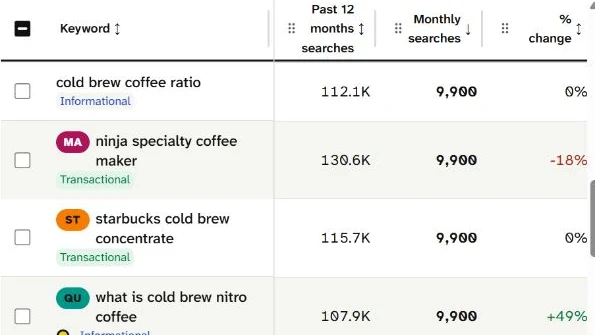
The ninja specialty coffee maker row shows 9,900 under Monthly searches. Compare that exact wording with the two-product OXO offer before reviewing its exclusion; the Past 12 months searches column measures a different period.
Give each candidate a condition in the scope column: the proposed OXO purchase group, with its objective or product-range reason. Confirm those conditions before applying either.
4. Check Whether a Shared Fragment Catches Wanted Terms
Reject an exclusion that also catches your positive shortlist. Read each proposed negative against every retained positive wording. This is a manual wording check; SearchCub supplies the research list, while the worksheet supplies the comparison.
The two full negative-exact candidates each match their own observed wording and none of the four OXO terms. Shortening them changes that result. The following audit applies Google's negative broad and phrase term rules to the seven strings in the sheet.
Negative being tested | Observed wordings caught | OXO positives caught | Worksheet decision |
|---|---|---|---|
| 1 | 0 | Conditional review |
| 1 | 0 | Conditional review |
| 5 | 3 | Reject shared fragment |
| 4 | 2 | Reject shared fragment |
Broad and phrase produce the same counts here because the shared words occur together in the same order. For cold brew coffee, the positive collisions are cold brew coffee oxo, oxo cold brew coffee maker and oxo good grips cold brew coffee maker. For coffee maker, the latter two are caught.
The table therefore rejects both fragments for this proposed group. The check covers seven observed strings, not live ad delivery or every future search. Keep the full candidate wording and the collision reason together so a later edit to the negative is checked again.
5. Leave the Comparison Wording on Hold
Hold top-rated cold brew coffee maker until a destination can support its comparison. Its retained estimate is 3,600 monthly searches, but the modifier asks for a judgment about the equipment. A purchase page's existence alone leaves the comparison criteria unresolved.
Record what would release the hold: the actual comparison destination, the products compared, the criteria behind “top-rated,” and the support for its claims. Keep the positive and negative columns empty while you check those items; shared product words alone leave the comparison task unresolved.
Revisit it when the offer and destination can satisfy that comparison task. If they cannot, decide its paid-search treatment using that confirmed scope. The present sheet keeps it visible for research; it neither selects it as a target nor treats it as an automatic exclusion.
6. Choose Match Type and Scope Separately
A matching label and the place you apply it are separate decisions. Before using the sheet, confirm the offer, the positive destination, each negative's condition and the proposed group scope. Then choose the positive match strategy using the actual campaign context.
Positive exact is not the same rule as negative exact. Google's positive matching guidance says positive exact can match searches with the same meaning or intent. Negative keywords use the different rules above and do not expand to synonyms or singular/plural variants. Leave positive match type unselected here, and review actual search terms separately when campaign data is available.
For the OXO group, inspect the two conditional negatives against its final positive list. If the offer later includes a recipe-led route or the named Ninja product, revisit the corresponding exclusion condition. A changed offer can change the row's decision even when the keyword wording stays identical.
7. Finish the Filled Worksheet
Download the filled seven-row paid-term worksheet. It includes the actual wordings, retained figures and unknowns, proposed routes, full negative candidates, local conditions and unresolved checks. It is a manual research resource; no settings are applied by the download.
Before choosing settings, finish these fields:
Confirm the purchase objective and the products included.
Keep the four OXO wordings in one proposed group; select a suitable destination and positive match type separately.
Confirm or remove each full-wording exclusion condition, then check it against the final positive list.
Keep the comparison hold with its concrete support requirements.
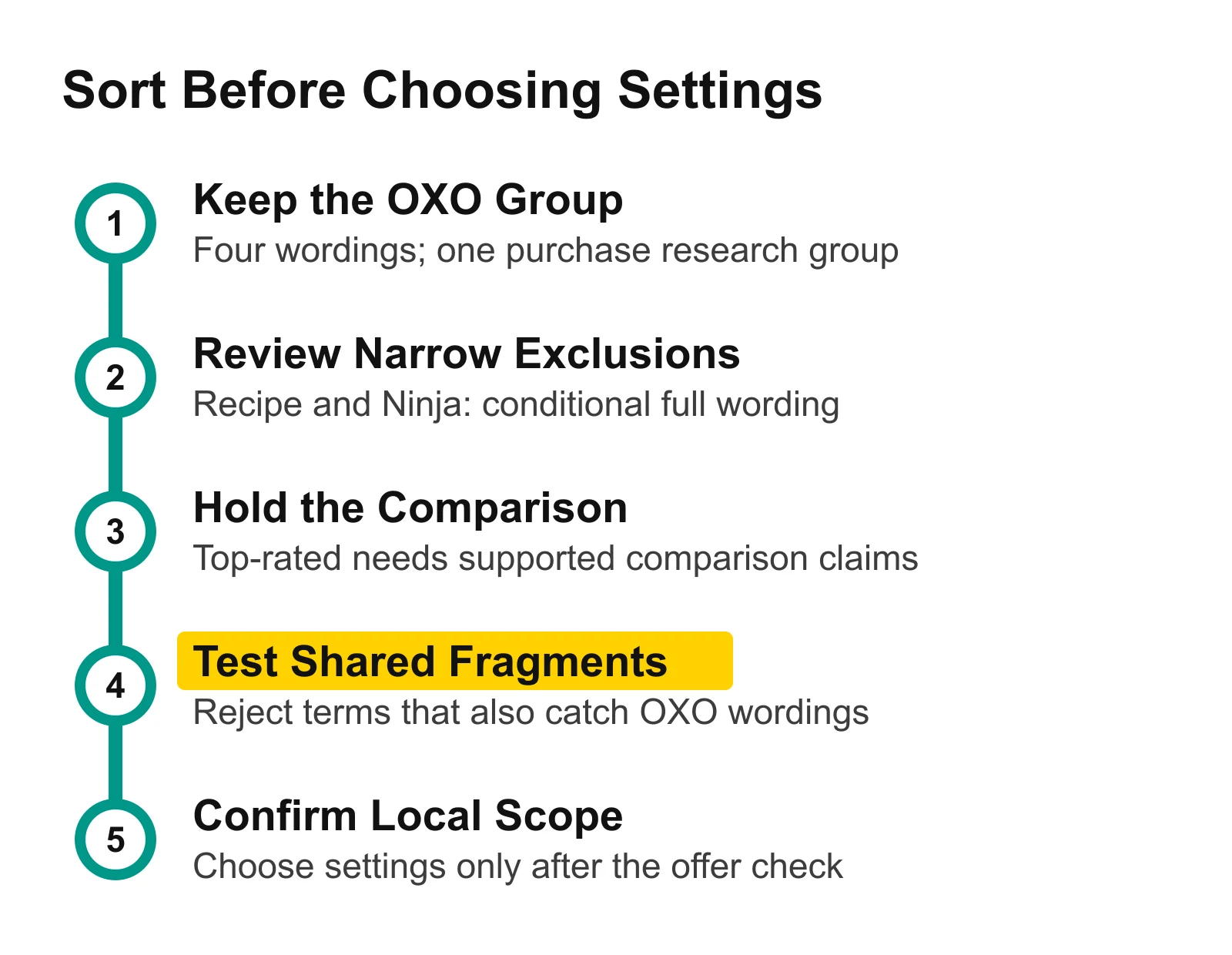
Keep the positive group, exclusions and comparison hold distinct before choosing settings. The fragment check protects relevant OXO wording from an exclusion shortened beyond its original purpose.
Open Keyword ideas, enter the product range you sell, and choose your Region. Copy one relevant purchase group and the rows needing a different decision into your sheet. Finish their reasons and conditions before expanding the list.
Where to Go Next
Keyword research for bloggers: plan supporting articles around the audience's next question.
Keyword research mistakes: check common selection errors before adding more terms.
Search volume vs keyword difficulty: put the research figures in context.