- Informational
7 Places to Find Keyword Ideas Beyond Keyword Tools
Editorial responsibility: SearchCub
Find keyword ideas in the questions people ask, the problems they describe, and the words they use while searching or choosing a product. These seven sources help you discover useful topics before checking demand and competition. Record the phrase and the reader's task together.
1. Customer questions and support conversations
Look for questions that recur before a purchase, during setup, or when something goes wrong. “Can I use this with a hand grinder?” suggests a different article from “Why is my espresso sour?” Both are more useful starting points than a broad product category.
Review material you are authorized to access and group repeated themes. Turn each into a general question, then a short research phrase. Keep names, contact details, account information, and sensitive circumstances out of your keyword list. Enter only anonymized phrases into SearchCub, never raw tickets or private conversations.
2. Communities and public video comments
Search a relevant forum or community for your topic plus words such as “beginner,” “problem,” or “recommend.” Reddit's search guidance explains how to search within a community and explore posts or comments.
Read replies as well as titles. Follow-up questions expose what the first answer failed to explain: a budget constraint, an unfamiliar term, or an awkward exception. Record the underlying question in your own words. Several independent discussions can justify investigating a topic; votes and comments are not measurements of Google search volume.
Public video comments can reveal gaps in a tutorial. Look for repeated questions about skipped steps or alternatives: “Does this work without an electric grinder?” might suggest a useful demonstration. Record the question in your own words and leave out usernames. Views and comment counts do not establish search demand.
3. Product and service reviews
Reviews reveal the criteria people use to judge a purchase. Look across positive and negative reviews for repeated comments about setup, compatibility, maintenance, fit, or limitations. “Works well, but cleaning takes ages” might suggest “how to clean an espresso grinder.”
Compare several products rather than building an article around one complaint. A repeated concern may support a buying guide; a specific failure may suit troubleshooting. Record the problem and relevant product context, then verify the facts yourself. Reviewers' claims are leads to investigate, not evidence that a product has a defect.
4. Search suggestions and related questions
Start typing your topic into Google and note relevant autocomplete suggestions. Add a task word such as “how,” “why,” or “for beginners.” Then inspect any People also ask questions shown in the results for useful follow-ups.
These suggestions are idea prompts, not a ranked demand report. Google's autocomplete explanation says predictions can depend on language, location, trends, and search history. Keep phrases that match your audience and check them separately. A suggested question may belong inside an existing article rather than needing a page of its own.
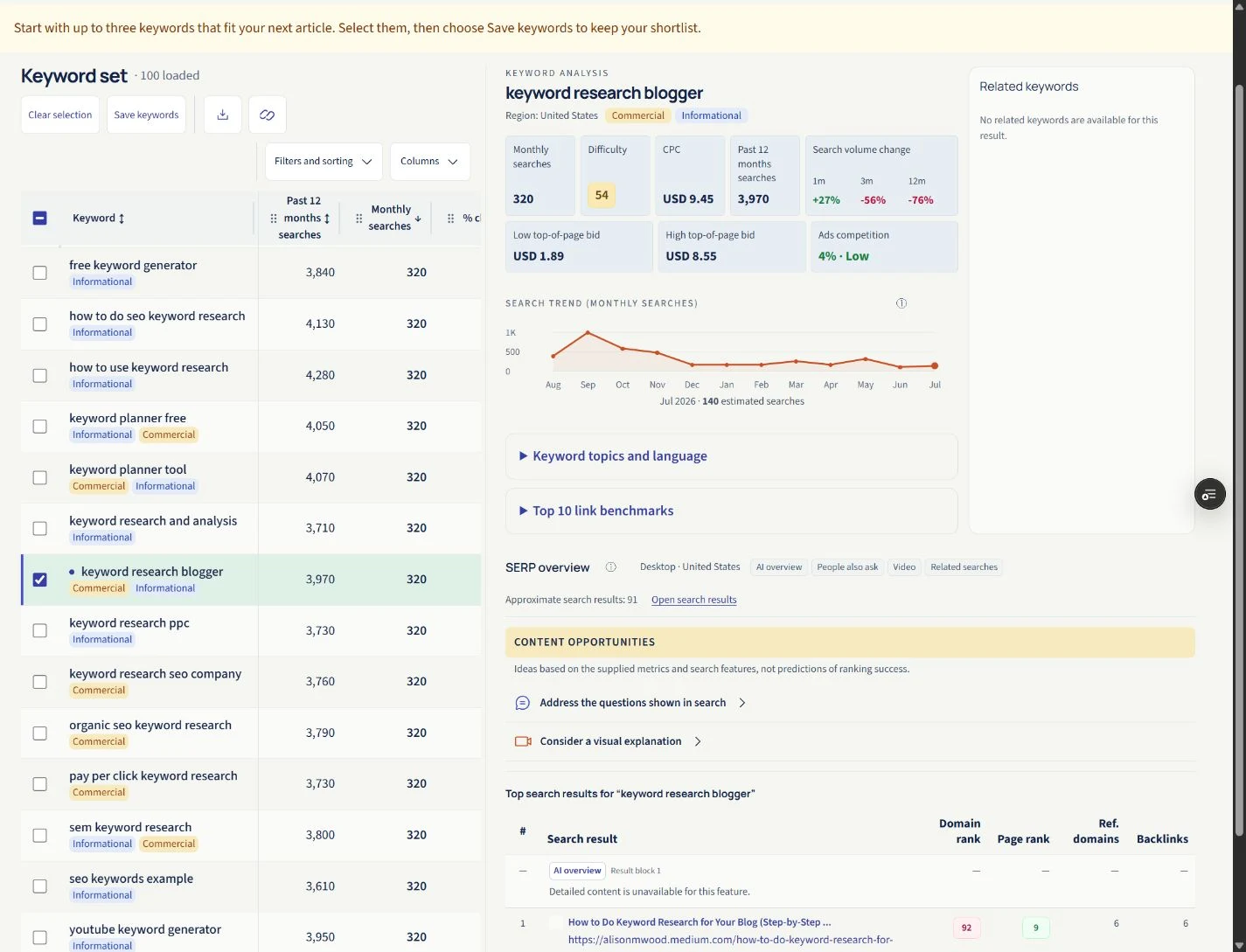
Check People also ask in the SERP features, then expand Address the questions shown in search to inspect the supplied question. U.S. example captured on 14–15 September 2026.
5. Your website's own search terms
If your site has a search box and collects suitable aggregate reports, inspect what visitors search after arriving. Repeated searches for “refund,” “size guide,” or a feature name can reveal information that is missing or hard to find.
Check what your setup actually captures. For example, GA4 site-search measurement can record search terms from configured URL query parameters; it does not automatically understand every custom search interface.
Separate content ideas from navigation fixes. A visitor searching for your returns page may need a clearer menu link, not another blog post.
6. Queries already showing your site in Google
In Google Search Console, open the Performance report and review Queries. These phrases already have a connection to your site, making them useful leads for expanding or improving content. Google's report guide explains the query, page, and country views.
Look for relevant questions that your existing page answers only briefly. Inspect the associated page before planning another one. Impressions describe appearances of your site in results, not total market demand. Keep the country and date range visible when comparing queries, then decide whether to improve the page or investigate a distinct topic.
7. Competitor menus, article headings and help centers
Browse a relevant competitor’s navigation and article headings for topics your audience might need. A menu separating grinder selection, cleaning and troubleshooting suggests three different jobs. Note questions your own site leaves unanswered; use the headings as research leads, then create your own outline and examples.
Browse public product documentation, setup guides, glossaries, and troubleshooting menus. Look for unfamiliar terms, prerequisites, and steps that assume knowledge a beginner may lack. A short instruction to “calibrate the grinder” could lead to a practical beginner's explanation.
Use documentation to identify the task and verify terminology. Build your own explanation and examples instead of copying its structure. Mark version-specific topics so you can keep them accurate.
Take the strongest phrases into SearchCub: choose Keyword, set Region, and compare demand, difficulty, and search results. The blogger research walkthrough shows how to turn those candidates into a shortlist and one useful page.