- Competitor Research
- Tutorial
How to find and validate keyword gaps manually
Editorial responsibility: SearchCub
Find a keyword gap by matching a competitor's useful topic to your own content inventory, then checking whether your site lacks a suitable answer.
A missing row in a tool export is only a lead. A valuable gap is a reader task you can serve, with enough evidence to choose a sensible page action.
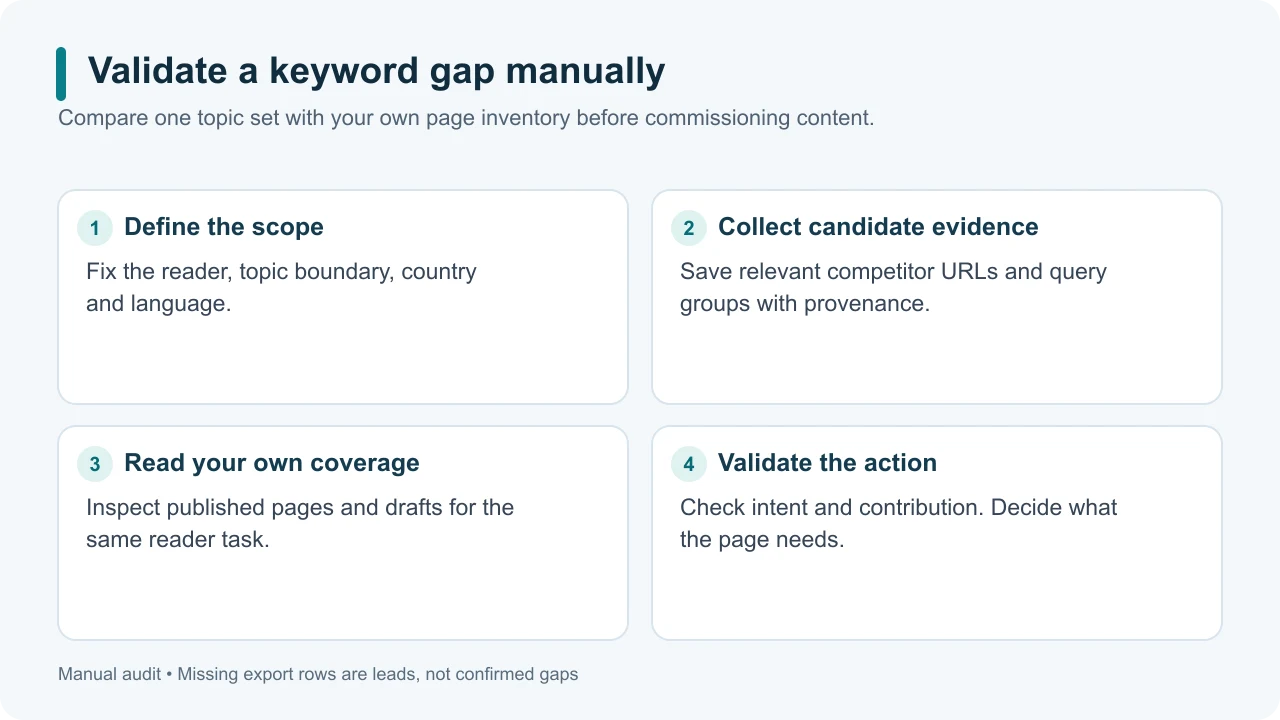
Original illustrative diagram: confirm the gap before assigning a new article.
1. Define a small topic boundary
Choose one reader group, task area, country and language. For a hypothetical apartment-gardening blog, the boundary might be beginner indoor-herb care in English for US readers. Do not compare every topic on a gardening megasite with your entire blog at once.
Select a few relevant competing pages. Capture their URLs and candidate query groups from an available ranking report or manual observations. Record which evidence you used. Topics inferred from headings are ideas, not verified ranking keywords.
If you need the broader collection process first, start with competitor keyword research.
Give related phrases one working group when they appear to ask for the same result. “Indoor basil watering schedule” and “how often to water basil indoors” might share an answer. Investigate the actual results before making that final grouping decision.
2. Build your side of the comparison
List the relevant published URLs, drafts and planned updates on your own site. For each, describe the reader task and the answer it provides. A title alone is insufficient: a broad “herb care” article might already contain a complete watering section, or it might mention watering without explaining it.
If you have Search Console access to your site, inspect relevant page and query data using consistent filters. Search Console provides impressions, clicks, CTR and average position for your site; it does not provide your competitor's private analytics. Performance report.
Also read the page directly. Weak visibility cannot tell you, by itself, whether an answer is missing or simply not being discovered.
Our page keyword guide explains why the exact URL matters when investigating existing coverage.
3. Classify the apparent gap
Use four decisions rather than a binary “we have it” column:
Finding | Likely next action |
|---|---|
Same task, useful existing answer | Keep the owner; investigate evidence before changing it |
Same task, incomplete answer | Substantively refresh the existing page |
Distinct useful task, no suitable owner | Consider a new-page brief |
Unclear evidence or poor audience fit | Hold for research or decline |
In the hypothetical blog, a page that already explains watering checks would own that task. If it only says “water regularly,” the gap might be useful detail within that page. A separate task such as choosing a container may justify its own page. These are planning examples, not observed findings about a real site.
4. Validate the promising candidates
Search each candidate question and open representative organic results. Record the formats and reader expectations you find. A query dominated by product pages may not suit a tutorial, even if a competitor's domain appears in the results.
Check the proposed contribution. What can you provide that genuinely helps: an evidence-backed explanation, a practical comparison, a reproducible example or a decision checklist? “We do not have this keyword” is not sufficient reason to publish.
Use any available demand estimate with its market and date. Leave missing demand unknown. Keyword Planner's competition metric reflects advertising competition, so do not use “low competition” there as proof of an easy organic gap. Historical keyword metric definitions.
Google can connect related wording to relevant content; you do not need a separate URL for every phrasing. How Search understands query meaning.
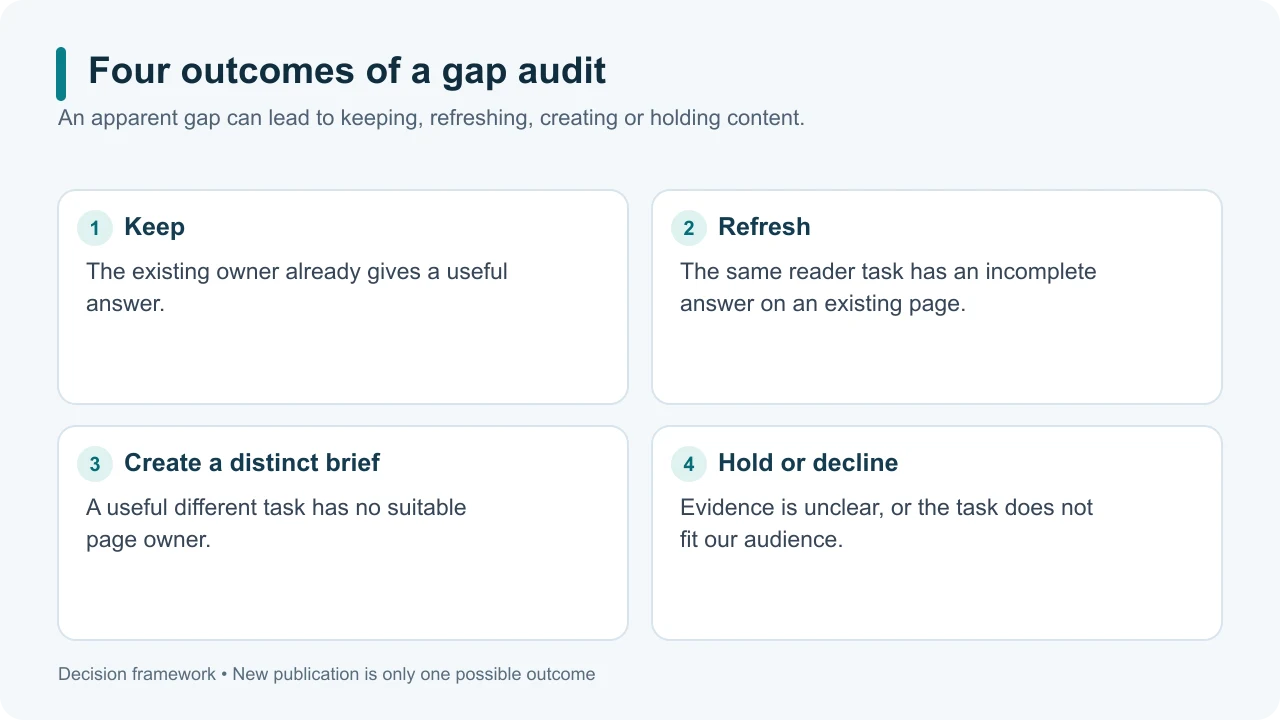
Original illustrative diagram: a gap audit can end with a refresh or a decision not to publish.
5. Save one decision per query group
Use a worksheet with query group, competitor URL, evidence source/date, own URL, coverage finding, useful contribution and action. Include a short reason for the action. That reason makes it possible to review the decision later without repeating the whole research session.
Choose one candidate to brief first. For a refresh, specify exactly which missing explanation or example you will add. For a new page, specify why it has a distinct purpose and which existing article should link to it. For a held candidate, write down the evidence needed to reopen it.
When you need to investigate a selected query or URL, open SearchCub. Keep your comparison small enough that every proposed gap can be traced back to a reader need and a checked page.