- Keyword Research
- Tutorial
How to Find the Keywords a Specific Page Ranks For
Editorial responsibility: SearchCub
To research the keywords associated with one page, enter its complete URL in SearchCub’s Page mode, choose a country, and review the available ranking data. Start with queries that fit the page’s purpose. A large search estimate beside an unrelated phrase is not a reason to change your content.
The useful outcome is a short, dated record of what the report shows and what to investigate next.
Choose the right kind of keyword information
“A page’s keywords” can mean three different things:
What you need | Where to look | What it tells you |
|---|---|---|
Words written on a page | Your browser’s Find function | Whether that wording appears in the page you are reading; it does not establish rankings. |
Available ranking keywords for one URL | SearchCub Page research | Public provider observations and estimates for that exact page and selected country. |
Queries that generated Google impressions or clicks for your site | Google Search Console, for a property you can access | Recorded search performance, with reporting limits; this is an external Google service. |
SearchCub uses DataForSEO Labs ranking data. The provider’s ranked-keywords documentation supports URL-specific research from its stored ranking database. Retrieving a report does not mean every ranking in it was checked at that moment.
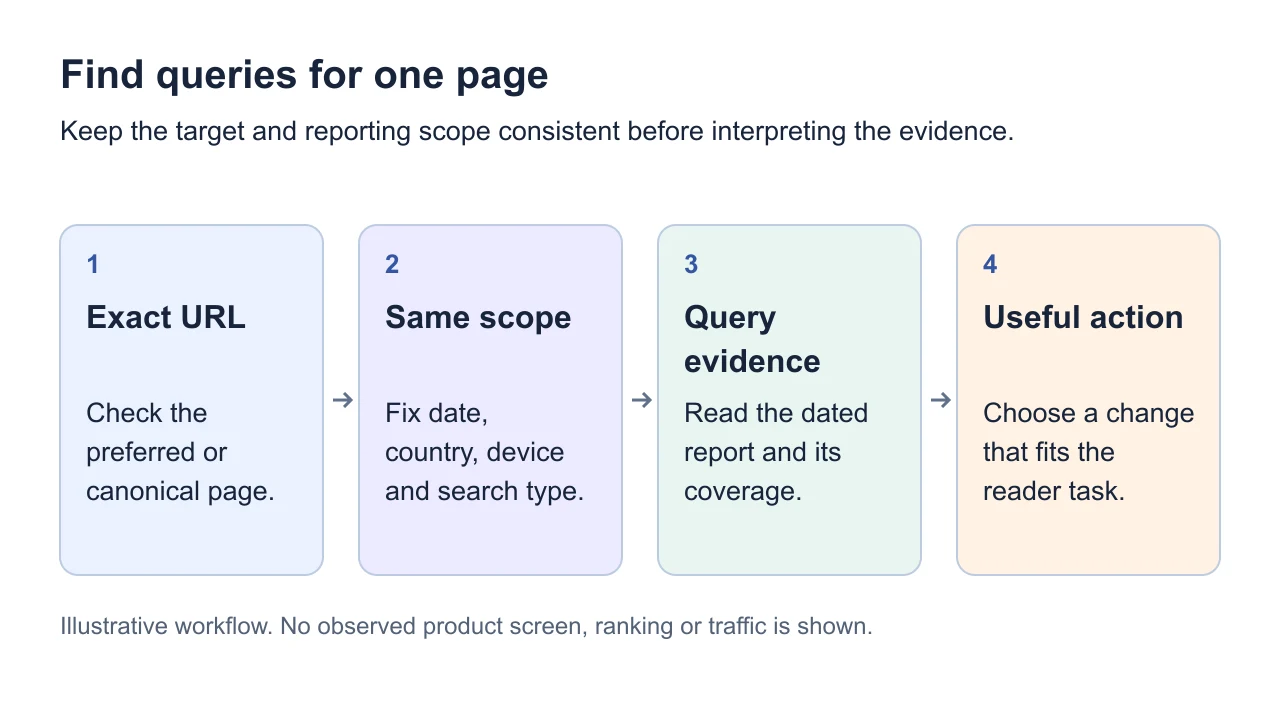
Illustrative workflow. No observed product screen, ranking or traffic is shown.
1. Start with the exact URL
In SearchCub:
Choose Page before entering your target.
Paste the complete public HTTPS URL, including its path.
Check Region and select your readers’ country.
Submit the request when you are ready; review any account and usage prompts first.
Use Domain when you want to investigate the wider site. The competitor keyword research guide explains how to choose sites worth comparing. Page keeps the scope on one URL, including when that URL is a homepage. Keep the selected country consistent when comparing observations. A United States report is country context, not a city, search radius or Google Maps/local-pack ranking check.
The Page form and its handling of the example URL below were checked on 29 September 2026 without submitting a new search. The numbers that follow come from a retained result, not that form check.
2. Read a dated example
Our example is the exact homepage URL https://cycle-path-bicycles.shoplightspeed.com/. The public shop homepage, reviewed on 29 September 2026, identifies the business as being in Athens, Ohio. That supports the location context only. SearchCub is not affiliated with or endorsing the shop.
The retained report was retrieved on 27 September 2026 at 21:11 UTC, for United States · English. It contained 36 keyword rows and indicated no further rows for that request. This does not establish every keyword the page could rank for. The source marked the result partial: 11 of the 36 rows had missing metric fields or monthly history.
Here are four rows. All update dates shown are in 2026:
Query | Stored organic position | Estimated monthly searches | Ranking updated | Keyword metrics updated |
|---|---|---|---|---|
athens ohio bicycle shops | 1 | 170 | 14 September | 15 September |
cycle path | 3 | 2,900 | 31 July | 12 September |
bike shop athens ga | 32 | 590 | 3 August | 14 September |
athens cycle path | 1 | 30 | 1 September | 13 September |
Read the dates separately. The retrieval date tells you when this report was obtained. The ranking update date belongs to the stored ranking observation. The metric update date belongs to the keyword estimates. A September retrieval does not turn the July observation for “cycle path” into a September ranking.
The monthly search estimate describes demand for the query in the selected country. It is not clicks, visitors to this URL or a forecast of traffic you could gain. Do not add similar phrases together as independent audiences. Missing values remain unknown: for example, “athens cycle path” had no supplied CPC; that does not mean a paid click costs zero.
3. Choose relevance before the largest number
The three main queries suggest different next decisions:
“athens ohio bicycle shops” fits the known location. It is a sensible candidate for examining how the page helps someone looking for an Athens, Ohio bicycle shop. The stored position alone does not tell us whether visitors found what they needed.
“cycle path” is ambiguous. It could refer to a business name or a cycling route. Its 2,900 estimate is larger, but the wording alone cannot establish the searcher’s task. Keep it unresolved until you inspect relevant search results.
“bike shop athens ga” names a different state. Georgia does not match the Ohio location established by the shop homepage. A row appearing in the report is not a reason to create a Georgia-targeted page or treat those searches as suitable customers.
These are provisional interpretations for a shortlisting exercise, not an SEO recommendation to the business owner. We did not run a fresh ranking lookup or inspect a SERP for this example.
For your own page, choose one relevant query and investigate its current results before planning changes. Selecting a keyword can initiate additional SERP research; check the account and usage prompts before continuing. The SERP analysis walkthrough explains what to record when you actually inspect those pages.
4. Handle an empty or incomplete report
First check the exact URL, country, filters and stated coverage. An empty provider report is insufficient evidence that the page never ranks, receives no search visits or is absent from Google’s index. Do not rewrite a useful page simply to fill an empty table.
For a site you manage, open Google Search Console separately. In its Performance report, filter to the page and review Queries with the date range and country in view. Google explains the query and page dimensions and warns that filtering can expose differences caused by truncation and anonymized queries. Google’s filtering guidance
Keep the same search type, country, device and date range through the comparison. If the page redirects or has duplicates, check its canonical URL: Google assigns much performance data to the canonical, which may differ from the address you pasted. Google explains page grouping and canonical attribution.
In the Queries table, clicks count clicks from search results; impressions describe appearances; click-through rate is clicks divided by impressions. Average position summarizes the report's observations rather than giving a fixed rank. Keep the original export beside your notes. Missing query rows can reflect privacy and reporting limits, so leave absent evidence unknown.
Search Console impressions describe your site’s appearances, not total market demand. If the concern is actual indexing, use an indexing investigation rather than diagnosing it from missing keyword rows.
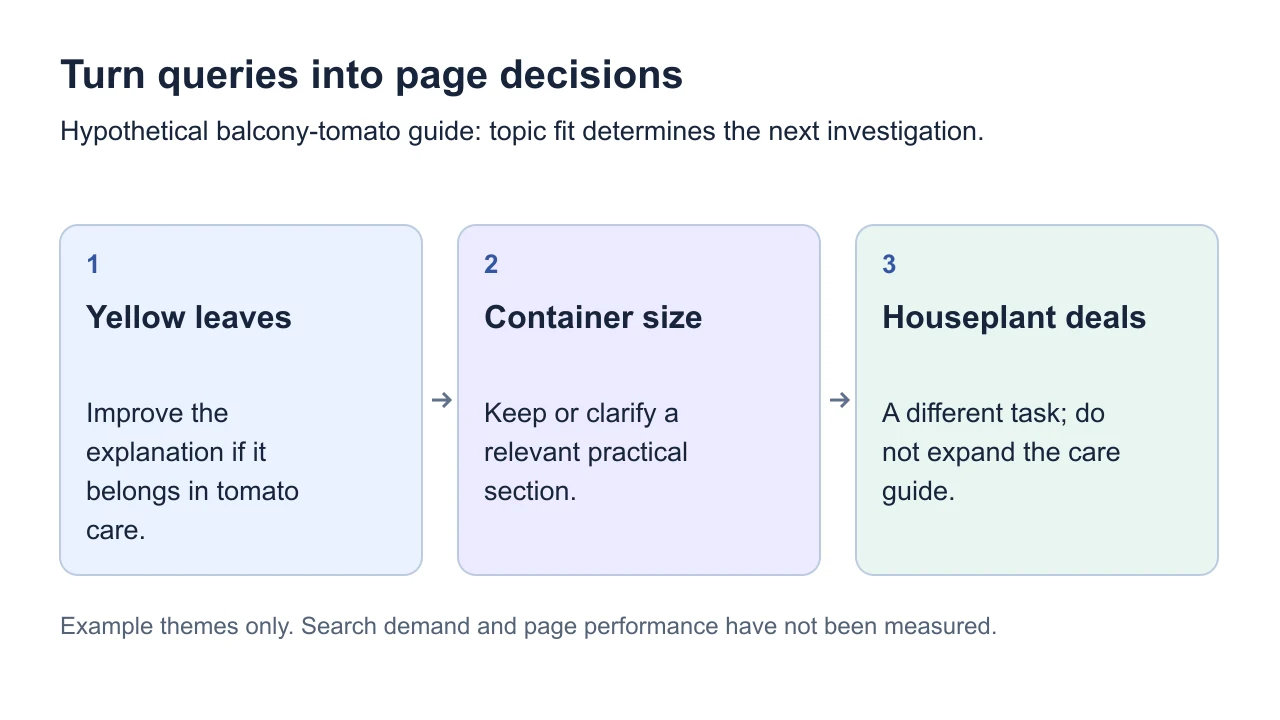
Example themes only. Search demand and page performance have not been measured.
5. Keep one useful next action
Copy this worksheet into your notes for each page:
Record | What to keep |
|---|---|
Target and market | Complete URL, country and language |
Evidence context | Source, retrieval date, ranking/metric dates and coverage limits |
Selected query | Exact phrase, supplied position and any estimate used |
Reader fit | How the query relates to the page’s actual audience and purpose |
Next check | One question to investigate before changing content |
Unsupported conclusion | What this evidence cannot establish |
For this sample, keep “athens ohio bicycle shops” for a local-relevance check, leave “cycle path” unresolved, and exclude “bike shop athens ga” from the Ohio-focused shortlist. The next step is verification, not a promise of more traffic.
Translate the evidence into keep, improve, separate or investigate. Improve an answer that belongs on this page; separate a genuinely different task; investigate ambiguous or incomplete observations before editing. Save the current URL and reporting scope as your baseline, and compare equivalent periods after a substantive change. The search-intent guide helps check whether a proposed improvement serves this page's reader.
Check one page’s keywords in SearchCub. Choose Page, enter your own URL and confirm the country before submitting.
Choose the next page task
Use the three kinds of page-keyword evidence to interpret your list, then choose a primary theme for an existing page. If you already have observed queries, audit the page's answer before editing and measure a content refresh afterwards.