- Competitor Research
- Checklist
Keep a lightweight competitor research log
Editorial responsibility: SearchCub
Keep a competitor research log that records decisions and evidence, so the next session begins with a clear question instead of another full audit.
A useful log is small enough to maintain. It connects a competing page to your reader's task, your own page action and the reason to revisit the finding.
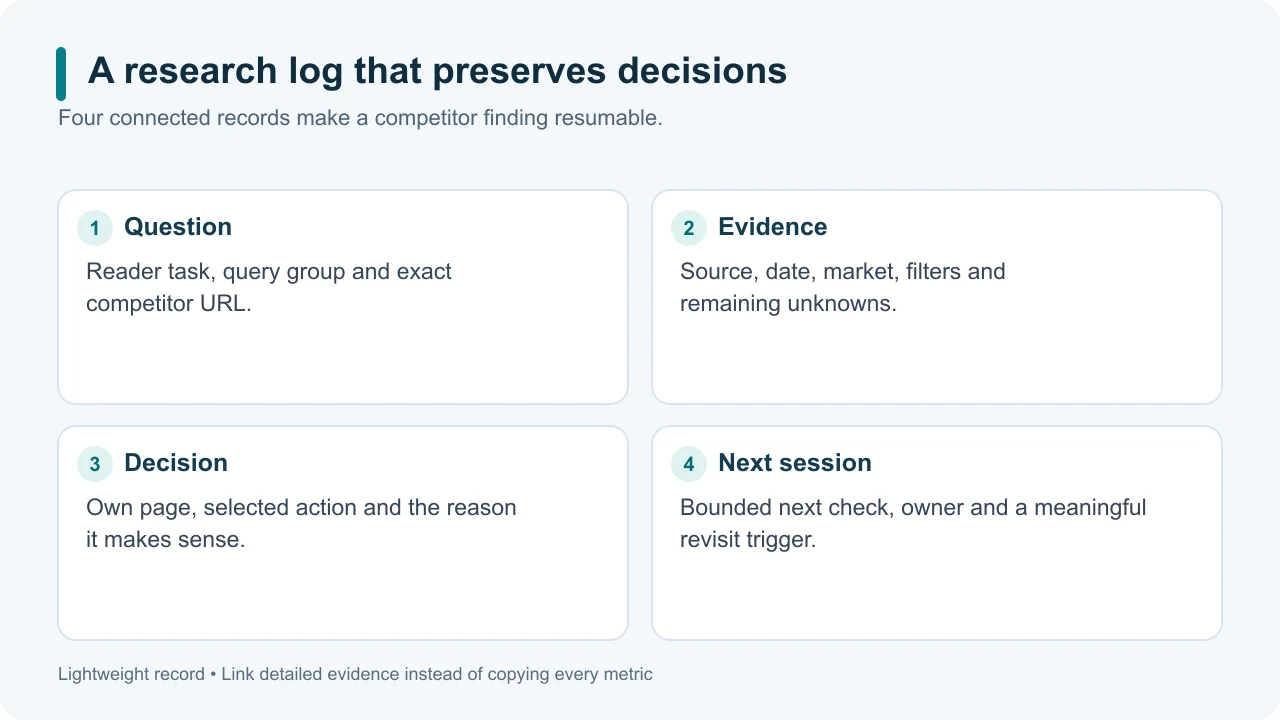
Original illustrative diagram: store what changes the next action rather than every available metric.
Use one row per question or opportunity
Start with these fields:
Field | What to record |
|---|---|
Reader task and query group | The problem you are investigating |
Competing URL | Exact page, with the domain if useful |
Evidence context | Source, observation date, market and relevant filters |
Own page | Existing intent owner or proposed distinct page |
Decision | Keep, refresh, brief, validate or decline |
Reason | What the evidence changed |
Next action | A bounded check or content change |
Revisit trigger | What would make another review worthwhile |
Link supporting exports or notes rather than copying the whole report into the row. Keep unknown values explicit. If an estimate changes, preserve the earlier dated observation so you can explain why the decision changed.
Use our competitor keyword guide when a row still needs the initial research rather than a follow-up check.
Separate competitor signals from your results
An observed competitor position is a dated snapshot. An estimate of its traffic is different from your own Search Console clicks. Use separate fields or linked notes for these measures.
Keep the exact URL beside each finding; our page keyword guide explains the value of investigating one page at a time.
When measuring your own pages, keep the date range, country, device and other filters comparable. Search Console reports clicks, impressions, CTR and average position; that last measure is an average for the selected grouping, not a permanently fixed rank. Performance report.
Do not rewrite your plan after one small movement. First ask whether the new observation changes the reader task, evidence, content decision or importance of the opportunity.
Set practical revisit triggers
Review an entry when a meaningful condition changes: the competitor substantially revises the page, the search results shift toward another format, your product changes, your own article gets enough evidence to evaluate, or you can now obtain a previously missing input.
You can add a routine monthly check for your few most important topic competitors. That is an administrative choice, not a Google requirement. Most low-priority rows should wait for their trigger rather than invite daily polling.
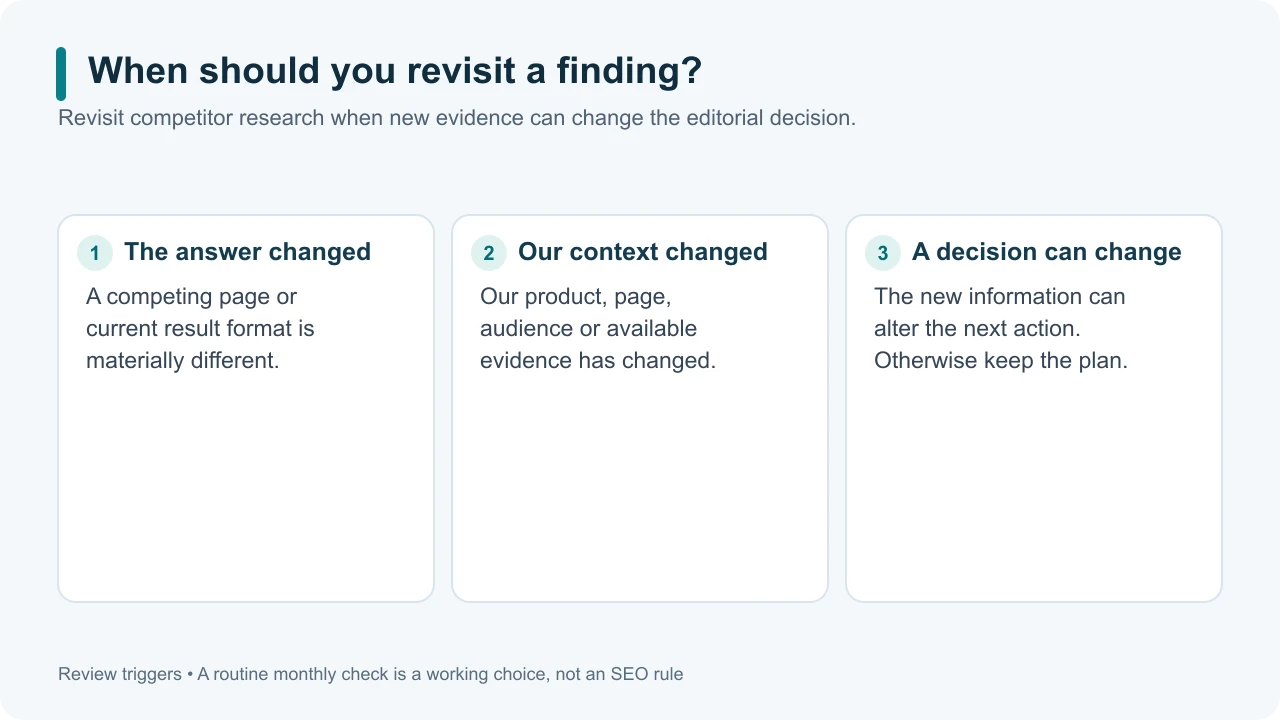
Original illustrative diagram: revisit a finding when new evidence can change the decision.
Keep each session bounded
Choose one or two open questions before you begin. For a hypothetical indoor-herb blog, a row might ask whether its existing watering article needs a clearer decision checklist. The next session would inspect that page and supporting sources, not rebuild the competitor roster.
Close the session by recording what changed, what remains unknown and who owns the next action. If nothing material changed, say so and keep the current plan.
Archive declined opportunities with their reason. Otherwise the same attractive but irrelevant query may repeatedly return to the shortlist. Reopen it only when the reader fit or available evidence changes.
Before your next session in SearchCub, pick one row and its unanswered question. Finish by saving the decision, so the research can accumulate without the log becoming another oversized task list.